Reports on services, call usage and gross profit. All are under Management → Reports → New Report; the tab column says where. See Reports for how to run, save and schedule a report.
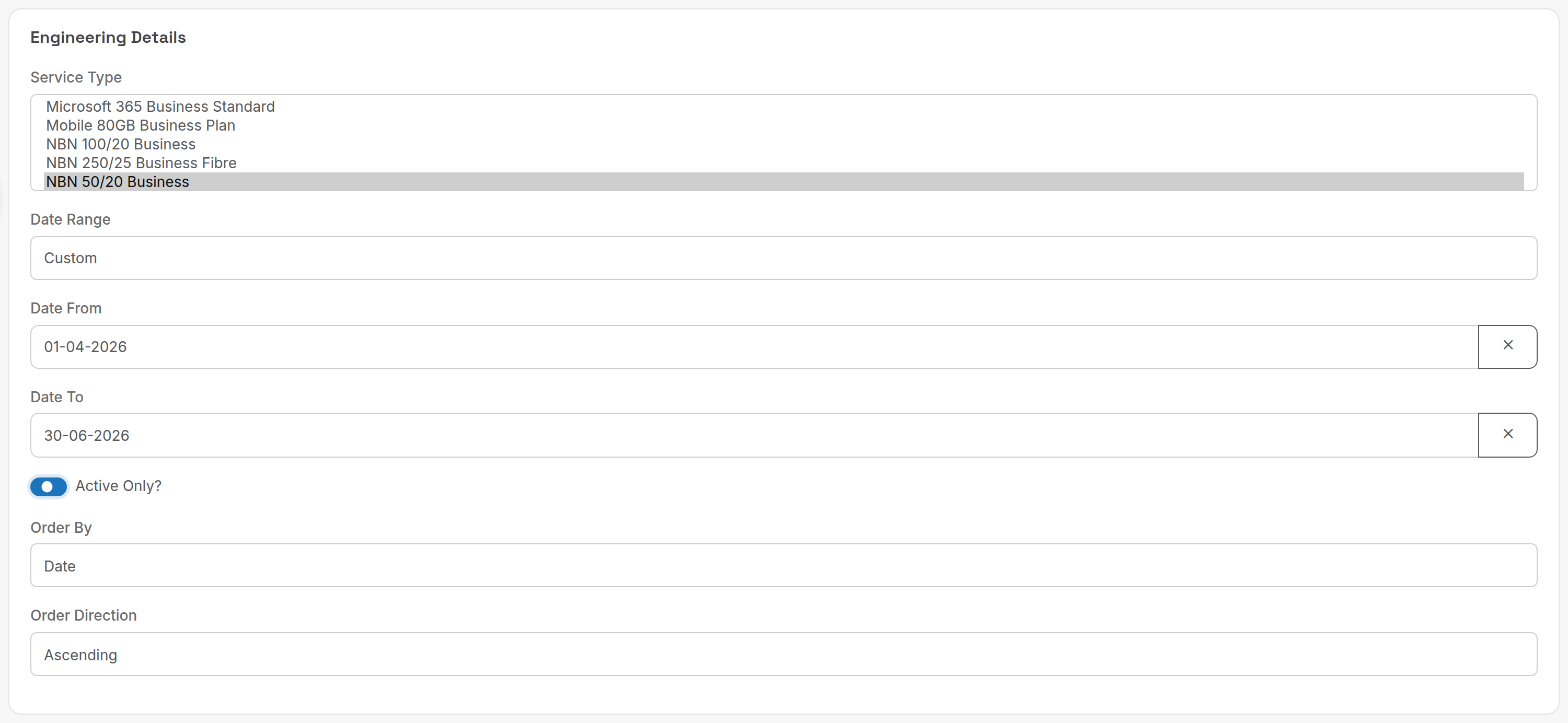
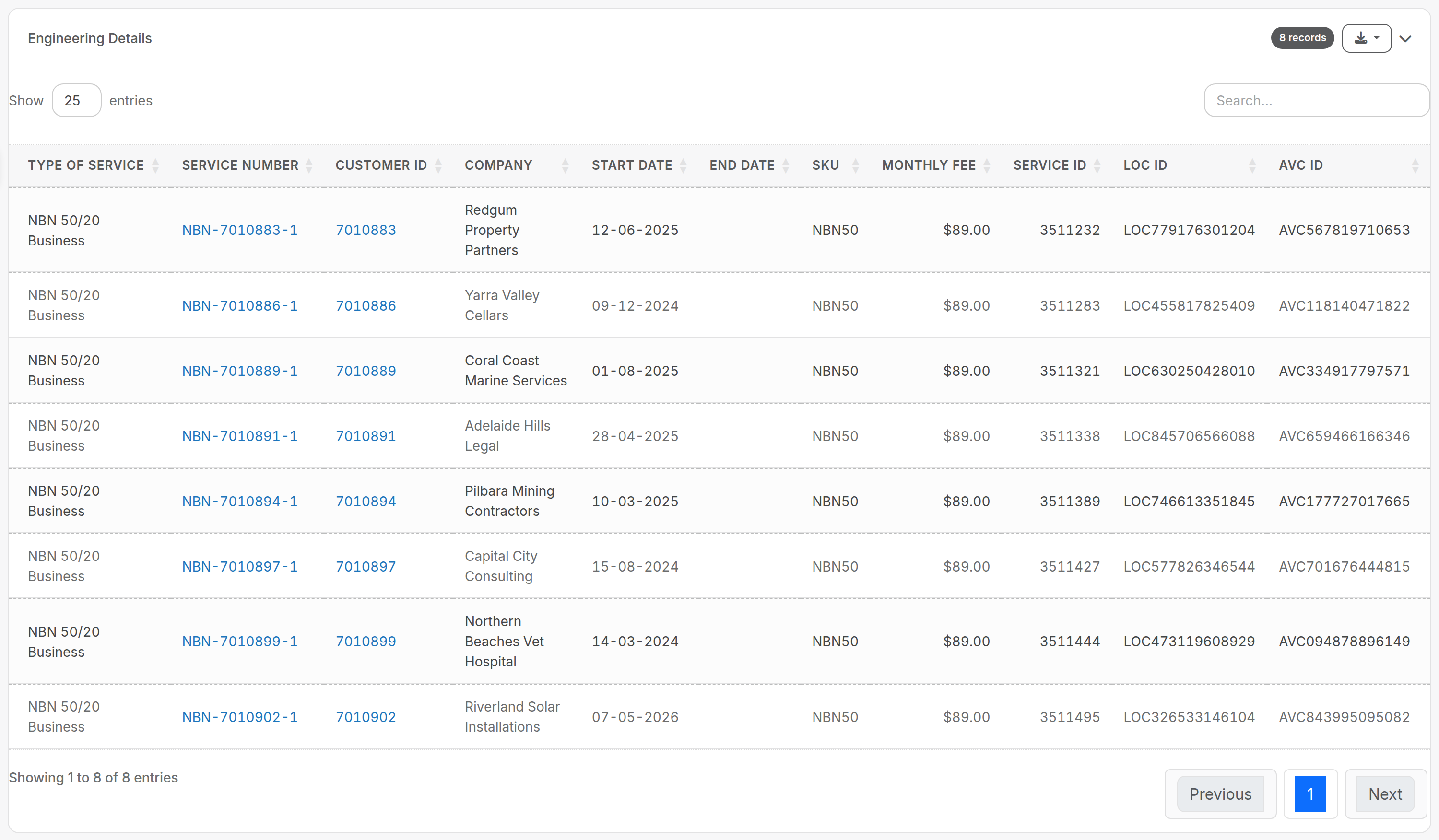
¶ Engineering details example
Some reports add filters to the period: here Service Type, Active Only? and sort order.
Service numbers and customer IDs in the output link to the records.
¶ Reports
| Report (tab) | What it answers | Key criteria | Columns and rules |
|---|---|---|---|
| Billed Minutes (Telco) | Call volumes and rated value per day. | Period; Call Types. | Summary: Total Calls, Total Minutes, Total Amount. Per day: Date, Total Calls, Billed Minutes, Total SMS, Billed Amount. Only "standard" calls are counted: calls with an application attached (live answering, SMS and so on) are ignored. Billed Amount is the raw rating of each call and ignores included minutes and bundles, so it will not match the invoice. Variants Billed Minutes Per Service and Billed Minutes Per Call Type break the same data down. |
| Ancilliary Charges (Sales) | How much late fees and payment surcharges earned in a period. | Period (invoice date). | Late Fee Count and Amount, Payment Fee Count and Amount. If you set a description on a payment gateway surcharge, that charge type is reported separately. |
| Service Type List (Engineering) | Your service catalogue with prices and settings, for review or export. | Rate Code (partial match); Invoice Type; Supplier; Call Type (Yes/No/All); Call Rates; Data Usage; Unlimited Data; Order By (Service Name, Rate Code, List Price, Cost Price); Order Direction. | Service Name, Rate Code, List Price, Cost Price, Invoice Type, Reporting Category, Call Type, Call Rates, Data Usage, Included Data, Service Technology, Service Grade, Supplier, Supplier Product ID. Prices are ex GST. Included data shows in GB when 1024 MB or more, otherwise MB. No date range: it lists current service types. |
| Engineering Details (Engineering) | Every service with customer, dates, fee and NBN identifiers, for audits and churn analysis. | Service Type (multi); Date Range; Active Only?; Order By (Date, Balance, Company); Order Direction. | Type Of Service, Service Number, Customer ID, Company, Start Date, End Date, SKU, Monthly Fee, Service ID, LOC ID, AVC ID. With Active Only? and a date range: services that had not ended before the start date and had started before the end date. Without a date range: services with no end date or a future end date. Untick it to see ended services. LOC ID and AVC ID are filled for NBN services only. Deleted services are always excluded. |
| GP By Products (Accounting) | Gross profit per service type: services, bundles and usage. | Period; Service Types. | Service Type, Number of Billed Services, Service Cost, Service Sell, Billed Minutes, Usage Cost, Usage Sell, GP, GP Percent. The period is the invoice date plus the usage on those invoices; as fees are usually billed in advance and usage in arrears, July's invoices carry June's usage. Ex tax. A system row Bundles totals bundle sales less the usage already billed against them, so it shows pure profit. Totals differ from your month's billing because credits, misc charges, pro rata and hardware are excluded. GP By Product (Detailed) lists the same per service. |
| GP By Account (Accounting) | Gross profit per customer. | Period. | Per customer: Number of Billed Services, Service Cost, Service Sell, Billed Minutes, Usage Cost, Usage Sell, Bundles Profit, GP, GP Percent. Same date and tax rules as GP By Products. Bundles Profit is the ex tax total of bundles sold to the customer less the usage billed within them; the GP of that usage sits in the usage columns. GP By Account (Detailed) lists the same per service. |
Billed Minutes reports rated call value before bundles and included minutes. For what was actually invoiced, use Billing Period Analysis on Financial reports.
Related: Service types, Call rating. Services without Call Rates and Services without Services Types on the Engineering tab find services that are not set up for rating or billing.