Reports on money owed, money received and what each billing period produced. All are under Management → Reports → New Report; the tab column says where. See Reports for how to run, save and schedule a report.
¶ Aged receivables example
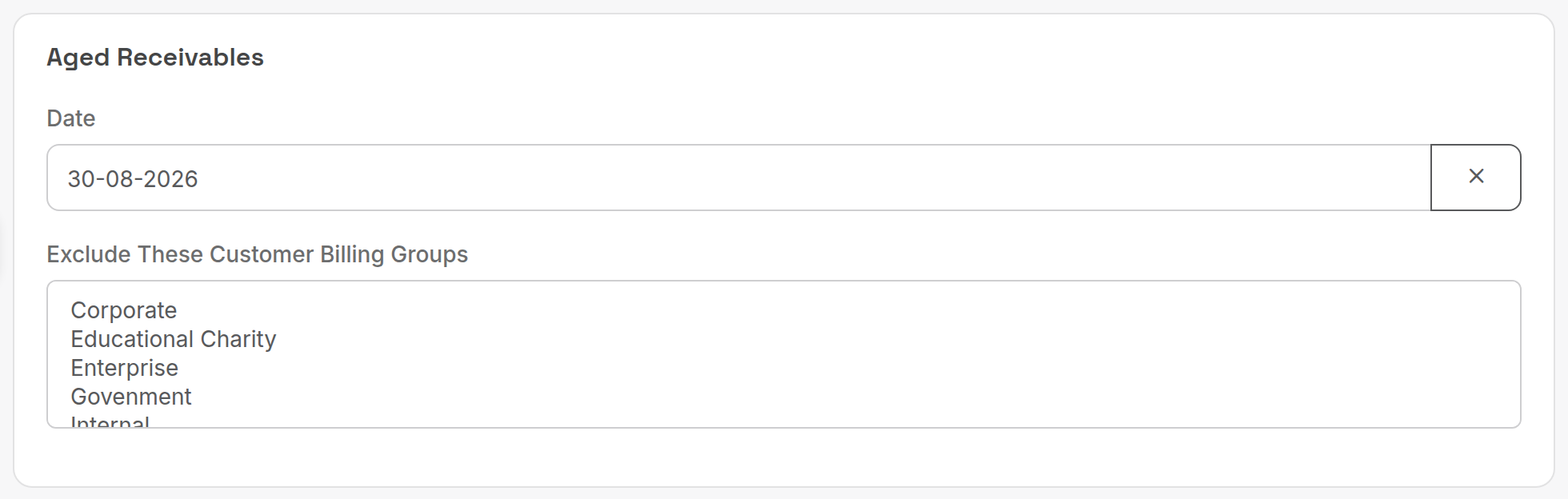
Point-in-time reports take a single Date; leave it blank for today.
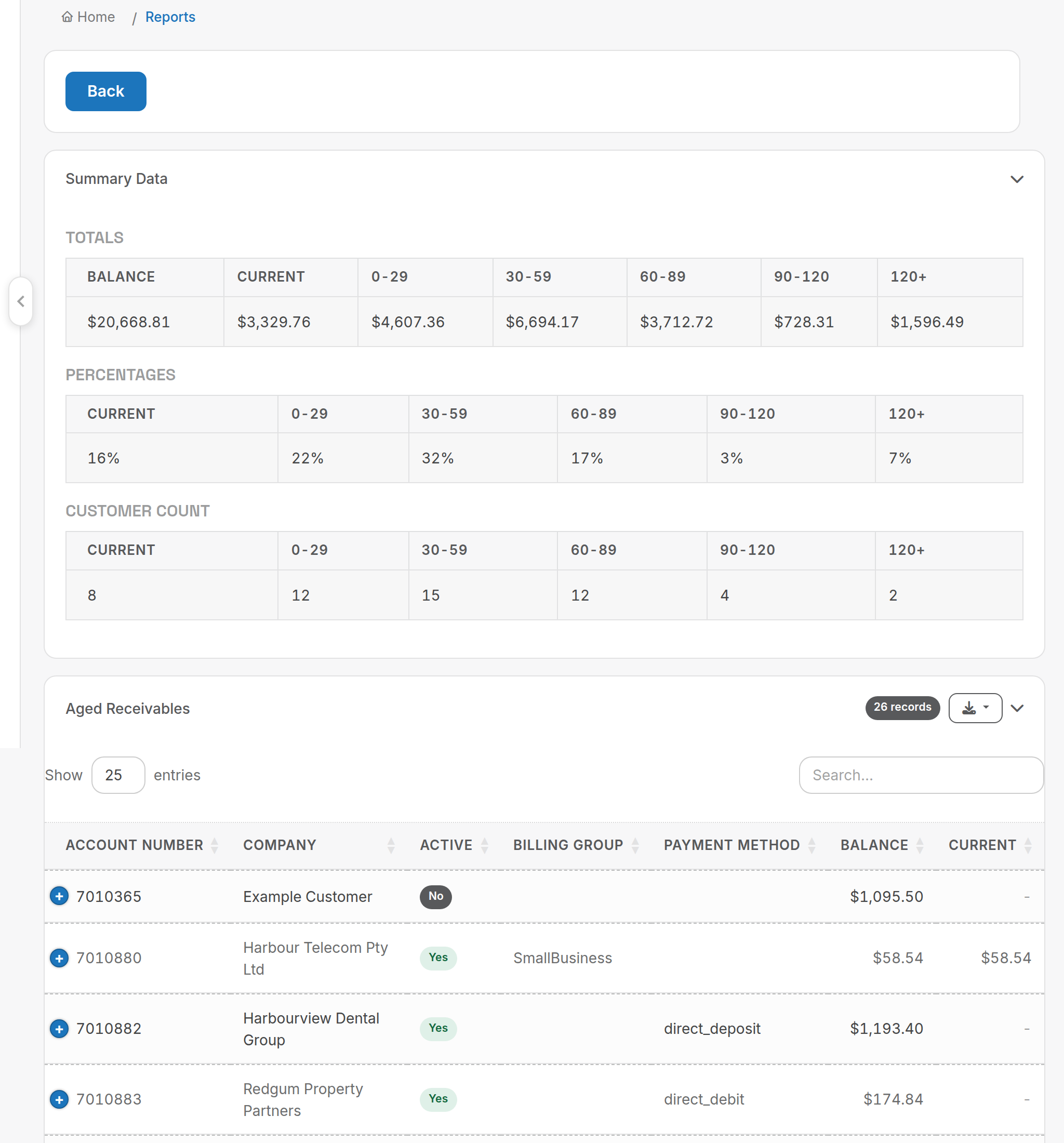
The output opens with totals, percentages and customer counts per ageing bucket, then one row per customer.
¶ Reports
| Report (tab) | What it answers | Key criteria | Columns and rules |
|---|---|---|---|
| Aged Receivables (Accounting) | Who owes what, aged into Current, 0-29, 30-59, 60-89, 90-120 and 120+ days, at a point in time. | Date; Exclude These Customer Billing Groups. | Per customer: Account Number, Company, Active, Billing Group, Payment Method, Balance and the buckets. Ageing is measured from the invoice due date, not the invoice date. Negative invoices count as a payment or credit on their invoice date. Back-dated payments and credits use the date you gave them, so a past date can change after the fact. Invoices marked bad debt are excluded. |
| Aged Receivables Detailed ( Invoice Listing ) (Accounting) | The same ageing, one row per unpaid invoice. | As above. | Adds Invoice ID, Invoice Date, Due Date, Balance, Aging, Last Failed Date, Last Failed Amount and Last Failed Reason (the most recent failed gateway payment). Same rules as Aged Receivables. |
| Unpaid Invoice at a point in time (Accounting) | Which invoices were outstanding on a given date, for audits. | Date; Active Accounts Only. | Account Number, Company, Billing Group, Invoice #, Amount, Date, Due Date, Owing, Account Balance. Negative invoices are ignored. Bad debt invoices are excluded unless they were marked bad debt after the date. The report allocates payments itself, oldest invoice first, so a skipped invoice can show older invoices as outstanding even if newer ones were paid. |
| Payments Received against Aged Receivables (Accounting) | How much of the money received in a period was for current versus overdue debt. | Period. | Total Received and the ageing buckets. Includes payments created in the period; each is aged by its created date against the due date of the invoice it was applied to. Negative payments are ignored. Amounts are inclusive of tax, local currency. |
| Revenue ( Inc Tax )/Payments Received Summary (Accounting) | Invoiced totals and payments received, month by month: a quick cash flow view. | Period. | Month, Revenue, Payments. Credits are deducted from revenue. Internal customers are included if they have an invoice that has not been credited out. Payments are allocated to the period of the invoice they paid, not the payment date: paying January, February and March in March spreads across three months. |
| Billing Period Summary/Compare (Accounting) | This bill run compared with the previous one: revenue, accounts, minutes, SMS, invoices, new and ended accounts and services, and service counts per reporting category. | Period. | Current and Previous columns for each measure. Select a single month (the month of one bill run); choose Current Month to report on a run already done this month. A longer range compares against the month before the earliest date only (first quarter compares Jan to Mar with December). Amounts are ex tax, local currency. New and ended figures come from the New and Ended reports and use the previous month's dates (1 to 30 April reports new and ended from 1 to 31 March). |
| Billing Period Analysis (Sales) | What made up each customer's invoice in a bill run. | Period. | Account Number, Company, Invoice #, Min Spend, Late Fee, Billing Fee, Invoice Ex GST, Invoice Currency, Services Qty, Monthly, Bundle Usage Fee, Bundle Non-Usage Fee, Usage Fee, Misc Charge Qty and Fee, Credits, Calls Qty and Minutes, SMS Qty and Fee, iPaaS Qty and Fee, Call Centre Minutes, Notes. Select the date range of one scheduled bill run; more than a month gives strange results. Ex tax, local currency. SMS means call types with "sms" or "mms" in the name, counting billable messages only (delivery receipts are ignored). Usage Fee is what was invoiced: a customer with $1000 of bundled usage who spent $900 shows $0. |
| Bad Debt Detail (Accounting) | Which invoices were written off in a period. | Period. | Lists invoices by the date they were marked bad debt. |
| Revenue By Location (Sales) | Where revenue comes from, by Australian state. | Period. | Location, Revenue, Count. Revenue is inclusive of tax, local currency. Customers outside Australia or without an address are grouped as UNKNOWN/INTERNATIONAL. |
| Purchases Detailed Summary (Supplier) | Supplier purchases in a period with their details. | Period; Order By (Date, Balance, Company); Order Direction. | Searches on the purchase date. Amounts are ex tax. |
Aged Receivables, Unpaid Invoice at a point in time and Payments Received against Aged Receivables age debt from the due date. If your terms are 14 days, an invoice dated 1 June is "current" until 15 June.
Related: Customer reports, Payment and credit reports, Credit management.