Reports on who your customers are, who has joined or left, and what is missing from their records. All are under Management → Reports → New Report; the tab column says where. See Reports for how to run, save and schedule a report.
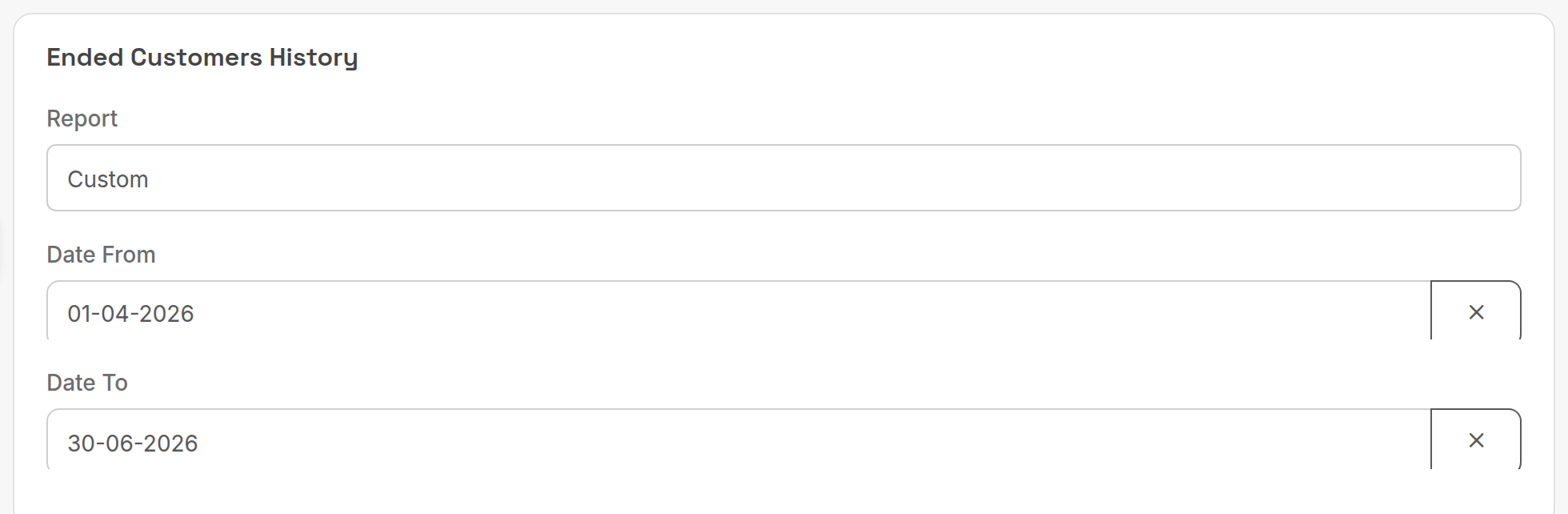
¶ Ended customers example
Period reports take the Report preset or Custom dates.
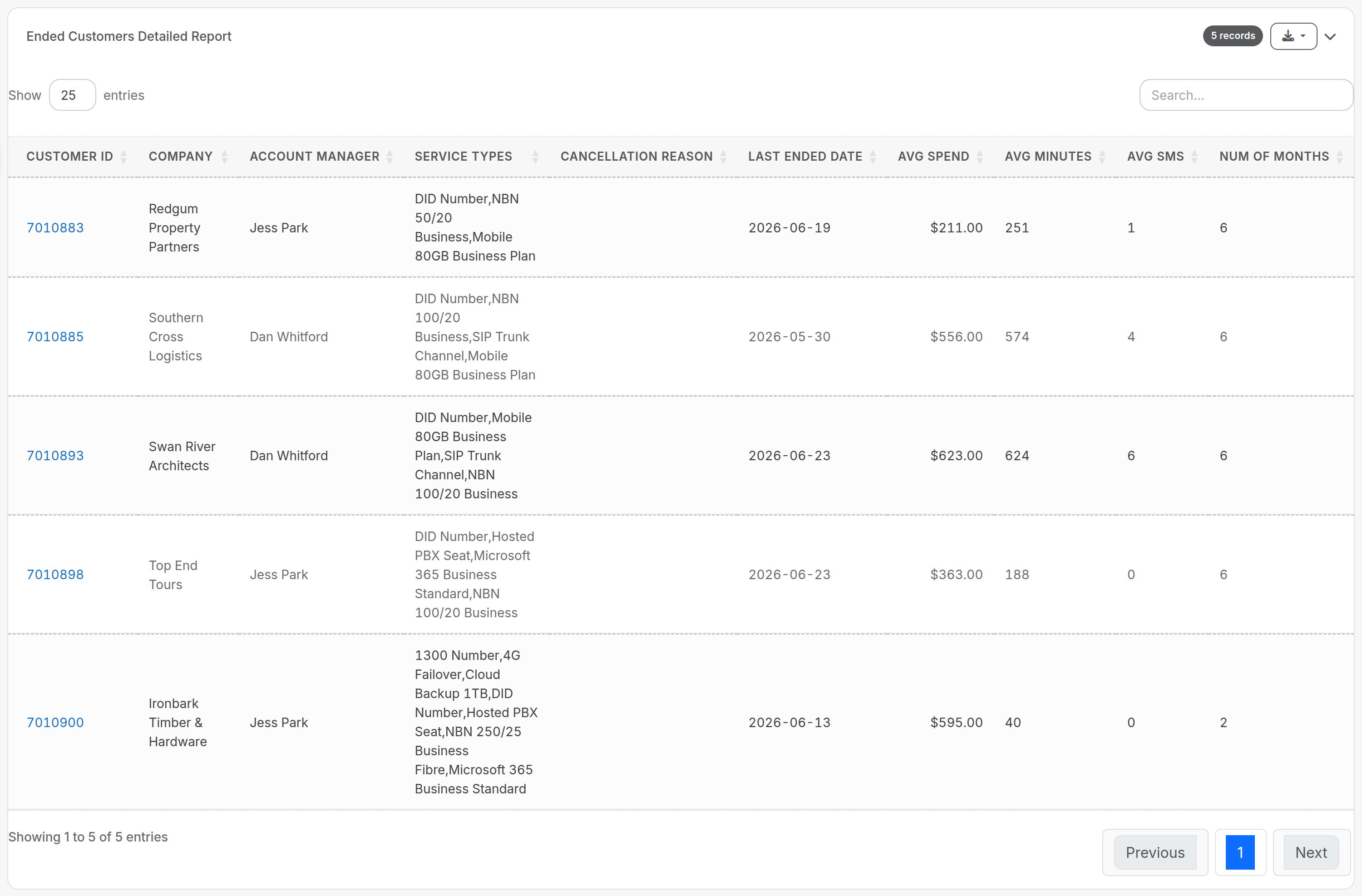
The output is a sortable table; click a Customer ID to open the customer.
¶ Reports
| Report (tab) | What it answers | Key criteria | Columns and rules |
|---|---|---|---|
| Active Customers (Customers) | Who is active, how many services they have, and what they were invoiced in the last three months. | Order By (Name, Balance); Order Direction. | Customer ID, Customer, Active Services, Snail Mail Invoice, Do No Send Invoice, Credit Hold, one column per reporting category (Cloud, Voice, Internet and so on) and one per month. Active customer = received an invoice in the past 3 months. Active service = no end date, or an end date in the future. Services are grouped by the reporting category on the service type. |
| Customer Details Report (Customers) | Basic company and contact data, for export to other systems. | Customer Billing Groups/s (none selected = all customers). | Customer ID, Company, Trading Name, ABN, First Name, Last Name, Phone, Mobile, Email, Web, Address, Billing Group, Rate Card. |
| Customers List with Payment Method (Customers) | Which customers pay by which method. | Customer Type (All, Active, Inactive); Billing Group; Payment Method; Order By Signed Up; Order Direction. | Customer ID, External ID, Company, Billing Group, Terms, Payment Method. The Payment Method filter lists your PaymentMethod lookup table entries. |
| New Customer Details (Customers) | Who signed up in a period and what revenue to expect from them. | Period (service start date). | Setup Fees = all service charges (misc charges on the service record) dated on or before the end of the period. Contract Length is calculated in months from the customer's agreement start and end dates. |
| Ended Customers Detailed Report (Customers) | Who left in a period, and their value and usage over the previous six months. | Period. | Customer ID, Company, Account Manager, Service Types, Cancellation Reason, Last Ended Date, Avg Spend, Avg Minutes, Avg SMS, Num Of Months. Ended customer = their last service ended in the period. SMS counts call types named sms or mms that have a rated amount, so delivery receipts are ignored. |
| customers Signup Revenue Profit (Sales) | Whether customers who signed up in a period are profitable. | Period (date of the customer's first invoice). | Customer ID, Company, Min Spend, Expected Revenue, First Invoice Date, then Revenue and Profit per month. Because the period is the first invoice date, signups from August to October are usually 1 September to 31 October. Credits distort the model: a first-month-free credit shows a calculated profit against $0 revenue. |
| Customer Validation Issues (Customers) | Which customers cannot receive an invoice. | None. | Flags No Email Address (customers not set to snail mail) and No Postal Address (snail mail customers; checks that an address exists, not that it is valid). Shows first and last invoice dates. A customer created in error stays on the list until deleted or set inactive. |
| Check For Duplicate Services (Engineering) | Which live services share a service number and service type. | Service Start Date period. | Lists services that have not ended with the same number and type, where either one of the pair started in the period. |
| Customer Billing Usage Analysis/Compare (Customers) | How each customer's latest invoice compares with the previous one. | Period. | Current and Previous Invoice Date, Invoice Total and Variance, Service Count, Calls Amount and Minutes, SMS Amount and Count, IPaaS Amount and Count. The current invoice is the smallest invoice ID in the period (normally the earliest; manually created invoices can throw this out). Ex tax. SMS = call types with sms or mms in the name, billable messages only. |
| Customer Services ( By Customer and Service Start Date) (Customers) | Which customers started which services in a period, by month. | Service Type; Active; period (service start date); Order By (Date, Balance, Company); Billing Group; Order Direction. | A service must have a valid start date to appear; otherwise the row is blank. Contract Terms and Service Type come from the customer's latest-started service; services with an empty contract term are ignored. |
Related: Customers in Credit Management is covered on Credit management; credit notes and payment reports are on Payment and credit reports.