Data services (NBN, broadband, mobile data, 4G and 5G) are billed on usage measured in megabytes. Every imported usage record is converted to MB, so an included allowance and excess blocks can be defined once on the service type and overridden on a single service.
¶ Data feeds
Usage feeds from carriers or your own platform are set up with PracBill support, who configure the conversion to MB, map the fields and test the import. Ask before your first data product goes live.
¶ The data call type
Data usage is rated through a call type, like calls. Create one under Telco → Call Types with these values.
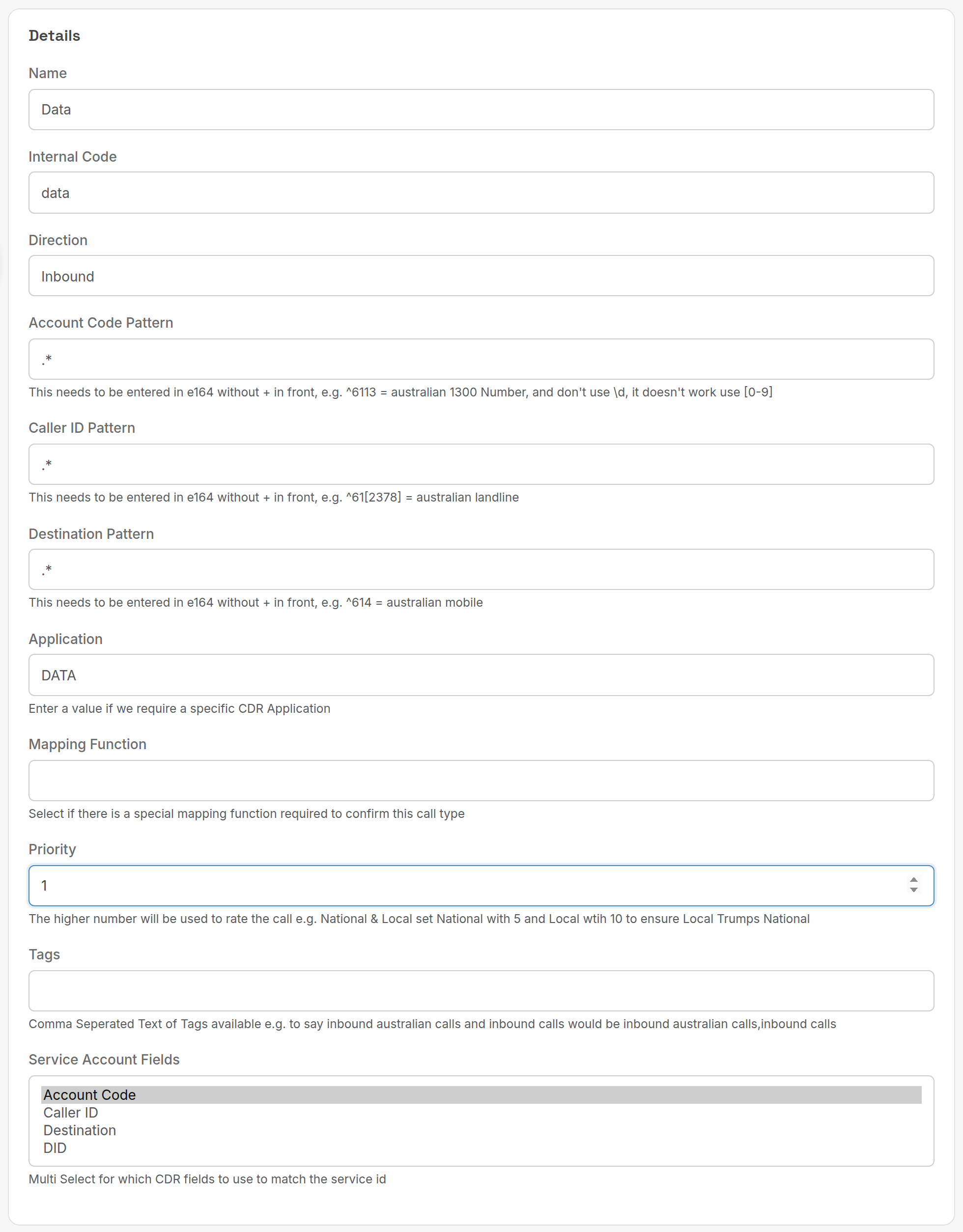
| Field | Value |
|---|---|
| Internal Code | data |
| Direction | Inbound |
| Account Code Pattern | .* |
| Caller ID Pattern | .* |
| Destination Pattern | .* |
| Application | DATA |
| Priority | 1 |
| Service Account Fields | Account Code |
See Call rating for what each field does.
¶ Service type setup
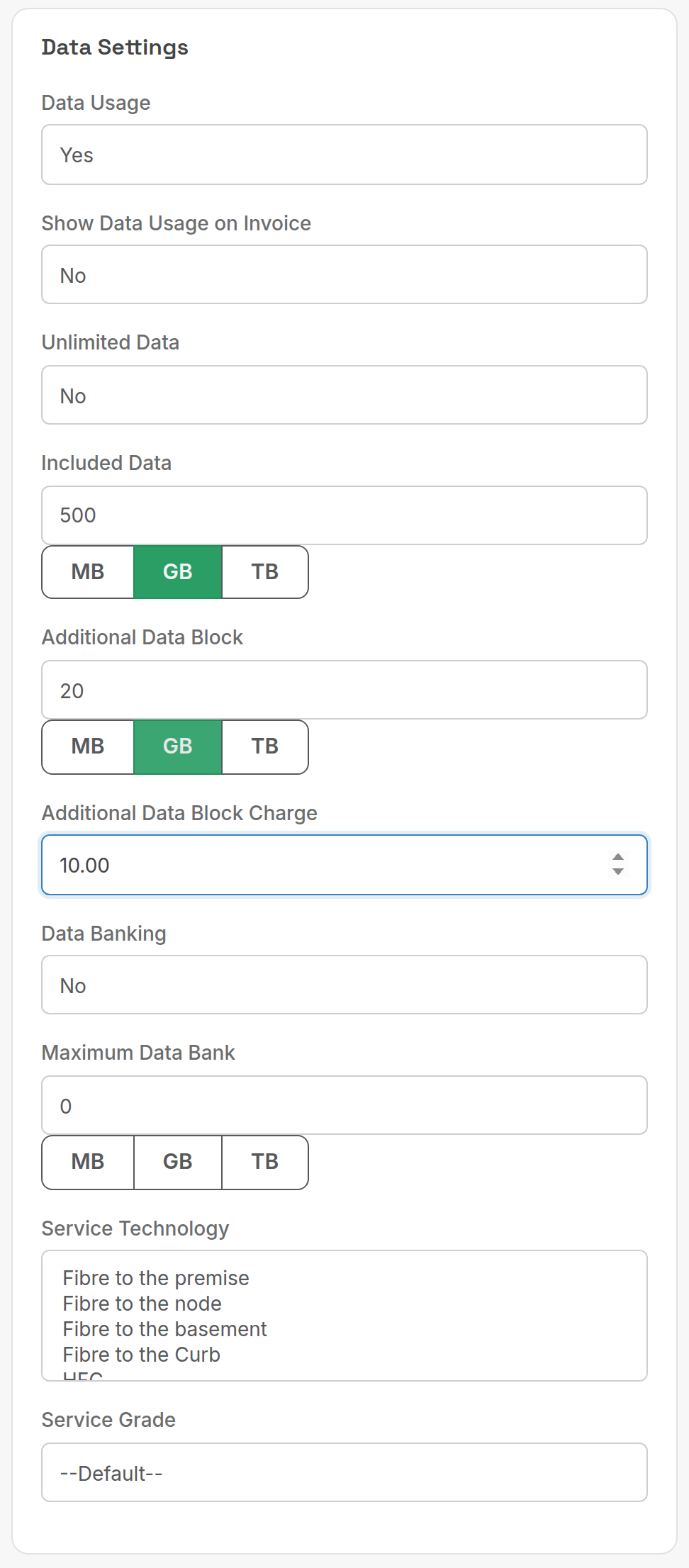
On the service type, set Data Usage to Yes under Data Settings and enter the plan's allowance. The example is 500 GB included, with extra 20 GB blocks at $10 ex GST per block or part of a block.
| Field | What it does |
|---|---|
| Included Data | Allowance per billing period. Click MB, GB or TB to set the unit. |
| Additional Data Block | Size of each excess block. |
| Additional Data Block Charge | Price per block, ex GST, charged for each block or part of a block. |
| Unlimited Data | No excess charges. |
| Data Banking / Maximum Data Bank | Carry unused allowance forward, up to the cap. |
¶ Override on one service
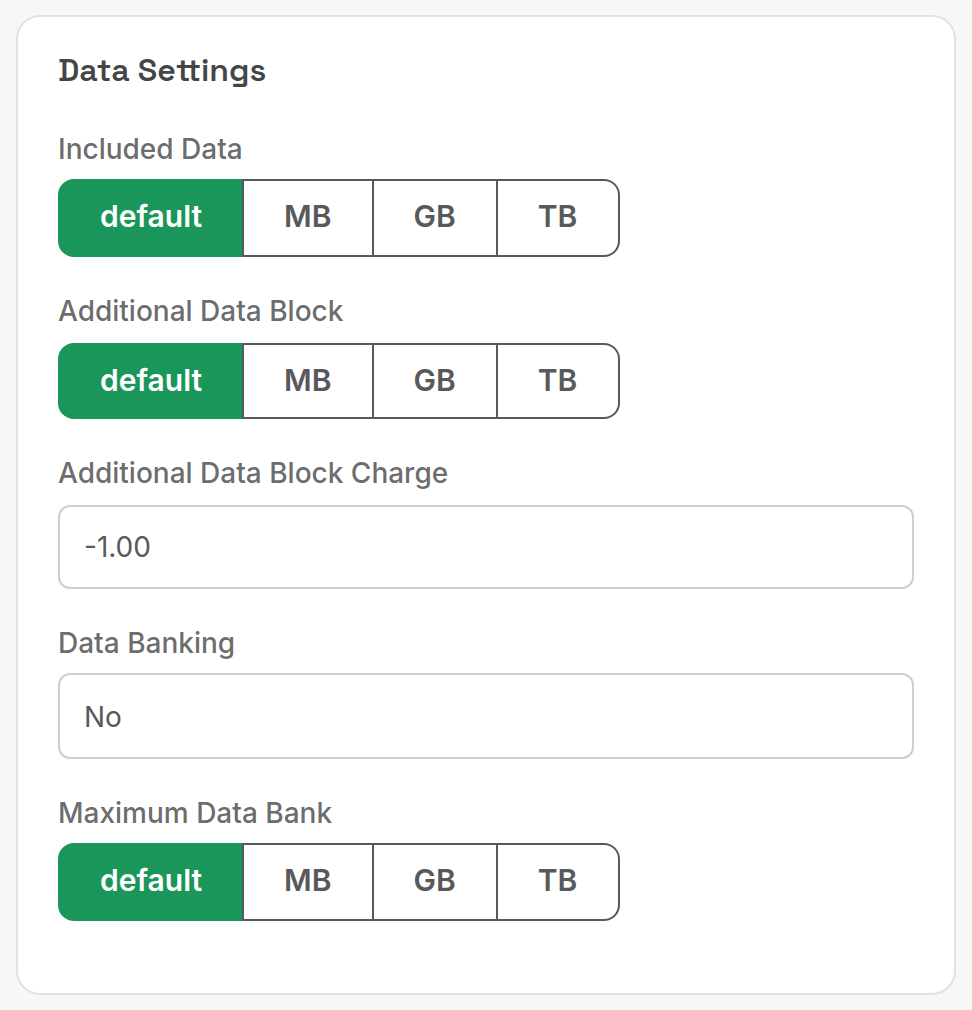
A service uses its type's figures unless you change them. On the service form, Data Settings shows default for each value (stored as -1 for the charge).
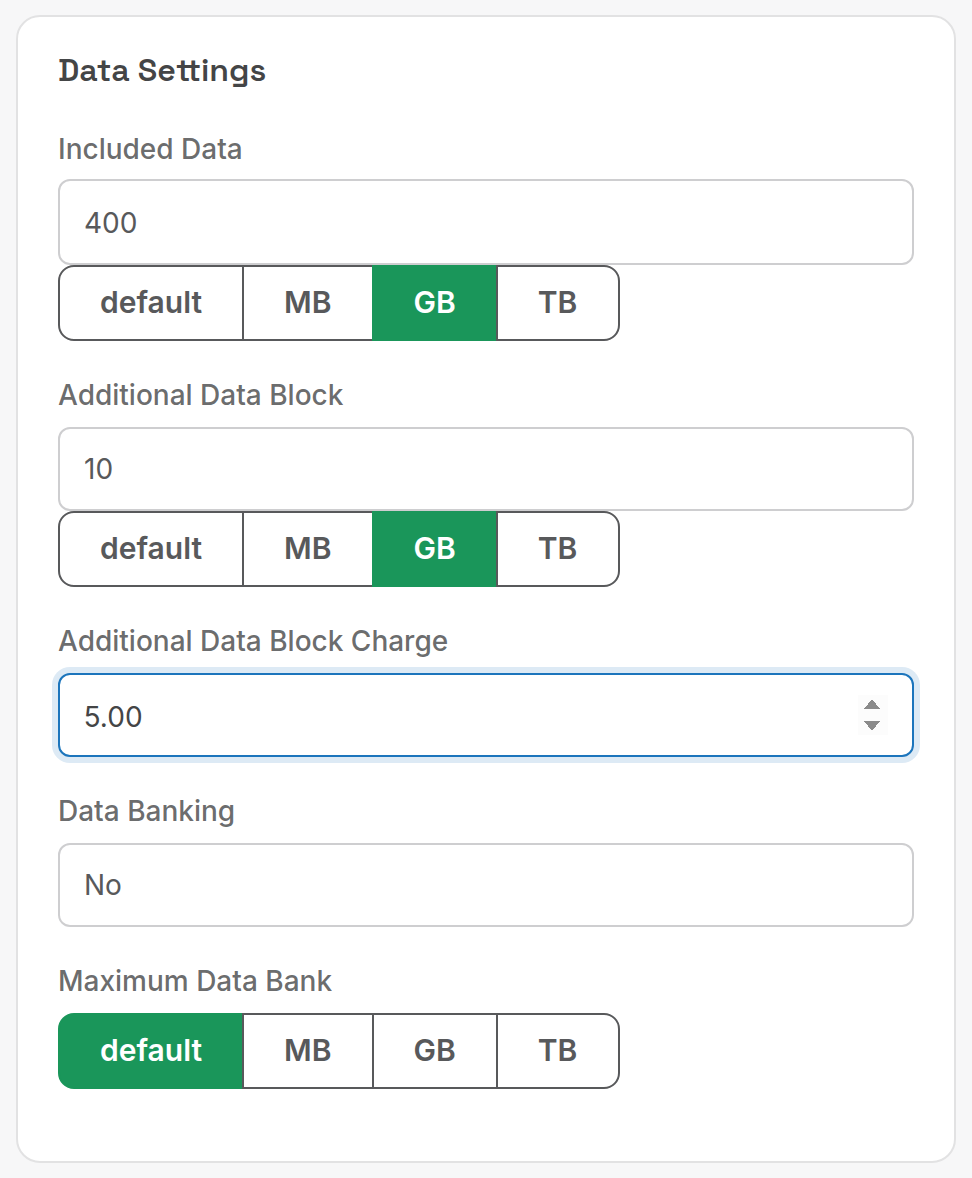
To give this customer a special deal, say 400 GB included with 10 GB blocks at $5, click GB on each field and enter the figures.
Related: Data pools, Service types, Services and subscriptions, Call rating.