A data pool groups several of one customer's data services so their allowances and usage are measured together. Use it when a customer with, say, five mobiles on 80 GB plans wants one shared 400 GB allowance for usage alerts instead of five separate ones. Pools are managed from the customer record (customer edit rights); putting a service into a pool is done on the service record (service edit rights).
¶ What a pool changes
| Area | Effect of pooling |
|---|---|
| Usage alerts: Management → Notification Runs (usage runs) and Services → Usage Action Rules | A pooled service is measured against the pool's combined allowance and usage, not its own. One alert per pool, sent for one member. See How usage alerts work with a pool. |
| Service page stat cards (mobile services with a usage feed) | Show the pool's used, allowance, bank and available figures, with a per-service breakdown underneath. |
| Invoices, excess data charges, data banking rollover | Unchanged. Every service is still billed on its own allowance and usage. |
| Customer portal (My Account) usage bar | Unchanged. Shows the service's own usage. |
An unpooled service behaves exactly as before.
¶ Create a pool
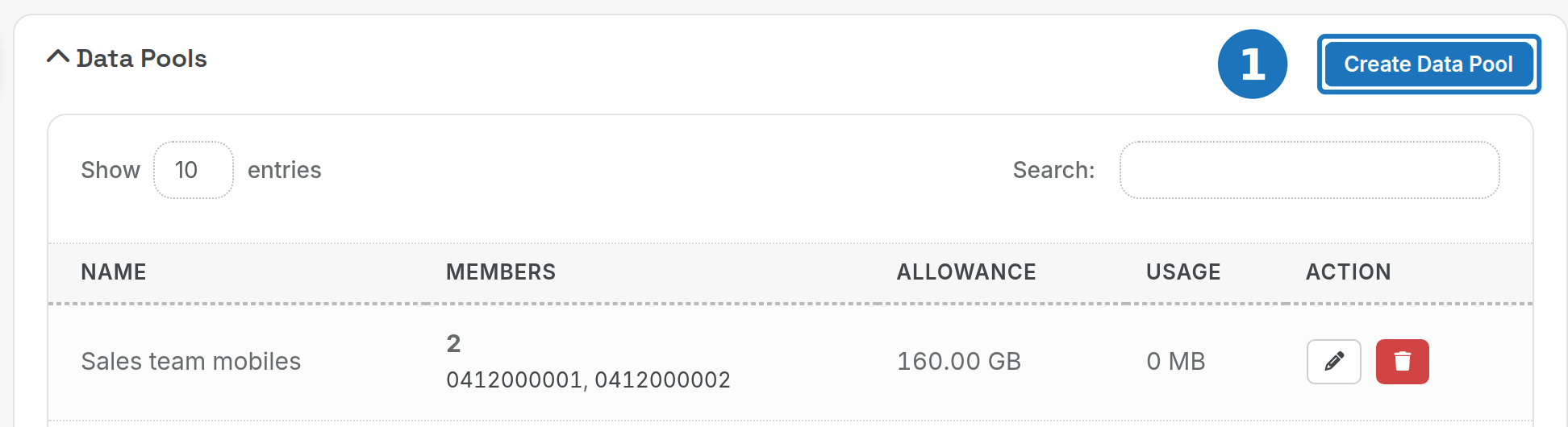
- Open the customer's page, scroll to Data Pools and click the heading to expand the panel. Click Create Data Pool.
- Enter a Pool Name. Each of the customer's pools needs a different name.
- Click Save.
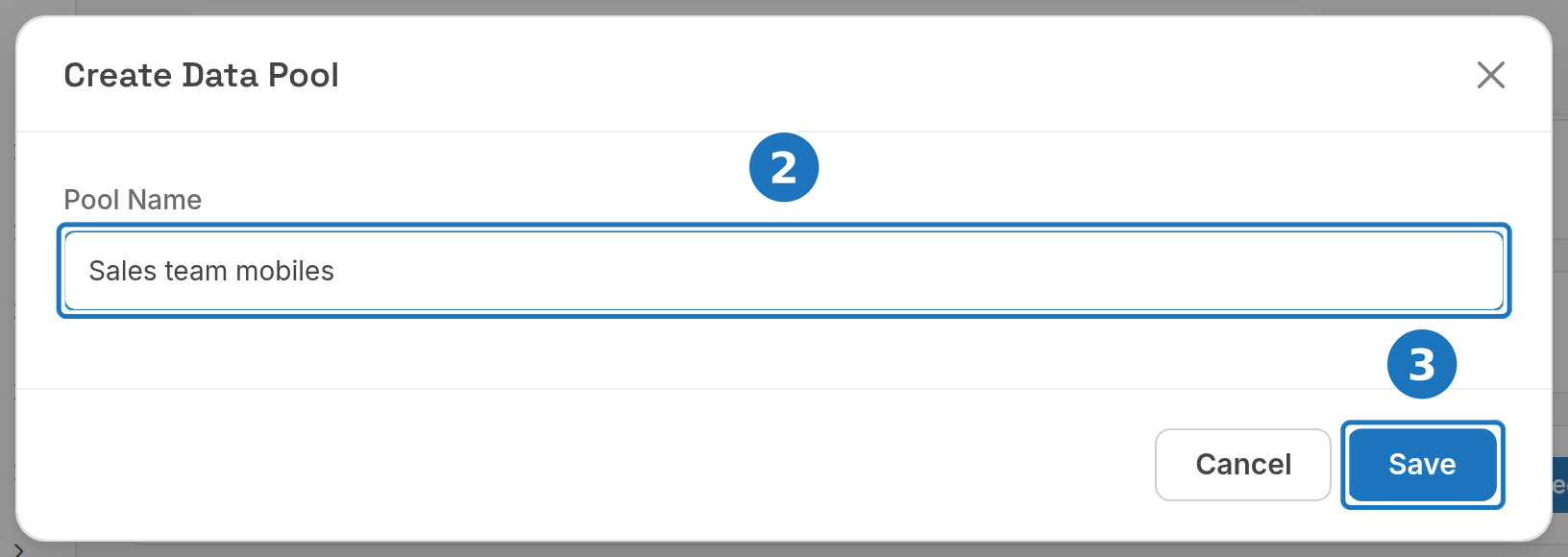
The new pool is empty until you add services to it.
¶ Add a service to a pool
- Edit the service, scroll to Data Settings and choose the pool under Data Pool. The list only shows this customer's current pools.
- No suitable pool yet? Click New pool, enter a name and click Create. The pool is created for this customer and selected for you.
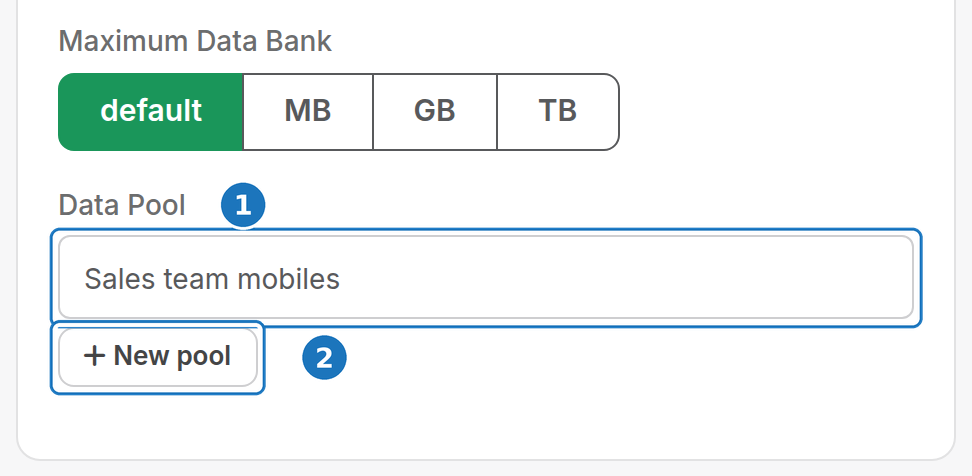
- Click Save.
A service can only join a pool when all of these hold:
- The pool belongs to the same customer as the service.
- The service type has Data Usage set to Yes. For other service types the picker is greyed out.
- The service's data cycle (billing period start and end dates) matches the members already in the pool, so the pool never mixes periods.
- The pool has not been retired.
If a rule fails, the service is saved without a pool and an error message names the rule that was broken.
A service belongs to at most one pool. The service page shows the pool under Data Settings, linking back to the customer's Data Pools panel; a retired badge appears if the pool has since been retired.
¶ Check a pool
The Data Pools panel on the customer page lists every pool with its live members and combined figures.
| Column | What it shows |
|---|---|
| Name | The pool name. |
| Members | Number of services in the pool and their service IDs, each linking to the service. A service that has ended is marked ended. |
| Allowance | The live members' allowances added together, including any banked data. Unlimited if any live member's service type has Unlimited Data set. |
| Usage | Combined data used by the live members this cycle. |
Only live members count towards the figures: a service that has ended or been deleted stays assigned but is left out of the totals.
¶ Remove a service from a pool
Edit the service, set Data Pool to No Pool and click Save. To move it to another pool, pick that pool instead.
¶ Rename or retire a pool
- Click the pencil to rename the pool.
- Click the bin to retire it, then click Retire to confirm.
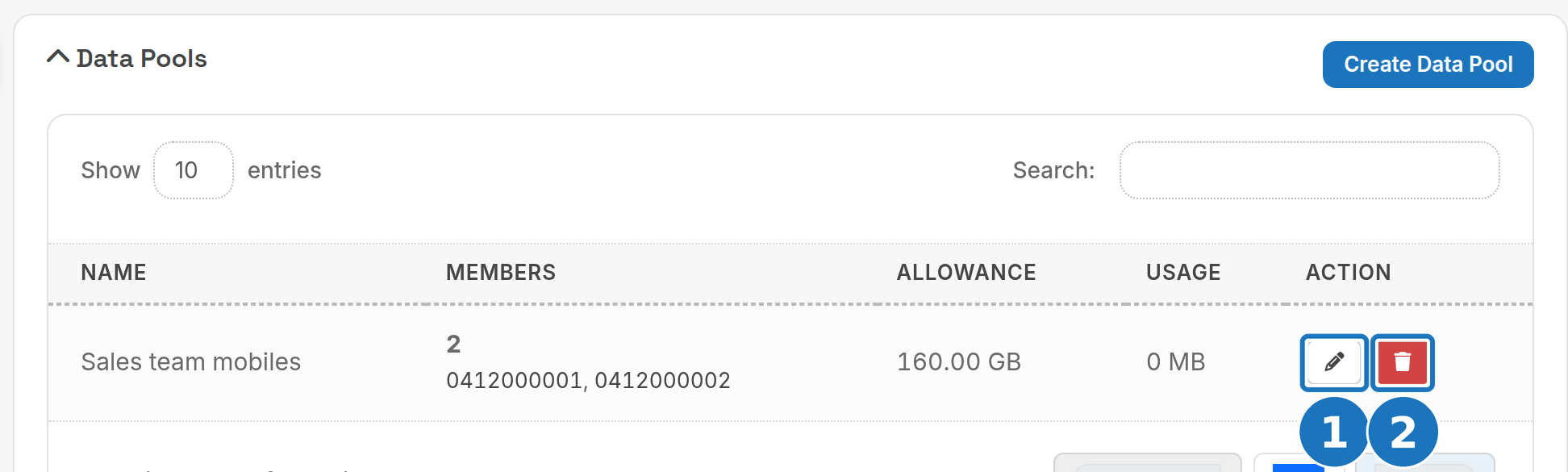
Retiring a pool removes every member service from it. The services themselves and their usage history are not changed. A retired pool cannot be reused: create a new one and add the services again.
¶ How usage alerts work with a pool
- Percentage thresholds on a usage notification run or usage action rule compare the pool's combined usage with its combined allowance.
- A pool alerts once per cycle for each schedule or rule, not once per service. The alert goes out for one member only: the member with the lowest service record number that the schedule or rule covers. Template variables such as
{service.*}describe that member; the usage and allowance figures are the pool's. A pool that mixes service types gets one alert per service type, because schedules and rules are set per service type. - If that member ends part way through the cycle, another member takes over. An alert already sent this cycle is not sent again.
- If any live member's service type has Unlimited Data set, the pool is unlimited and percentage alerts never fire for it.
- A member with no usage feed still adds its allowance to the pool.
Related: Data services, Services and subscriptions, Email and SMS templates.