Email templates control the subject and body of the emails PracBill sends (invoices, orders, service notices, due-soon reminders). SMS templates hold the message text used by SMS notification runs. Both are per department; this page is for the administrator who maintains them.
¶ Email templates
Each kind of email is a mailable (Invoice, Order, Service, InvoiceDueSoon and any carrier-specific ones your department has). A mailable uses your department's template, or falls back to the built-in system default, so an email always goes out. Templates belong to one department and are never shared with another.
- In the sidebar open Admin, then click Email Templates.
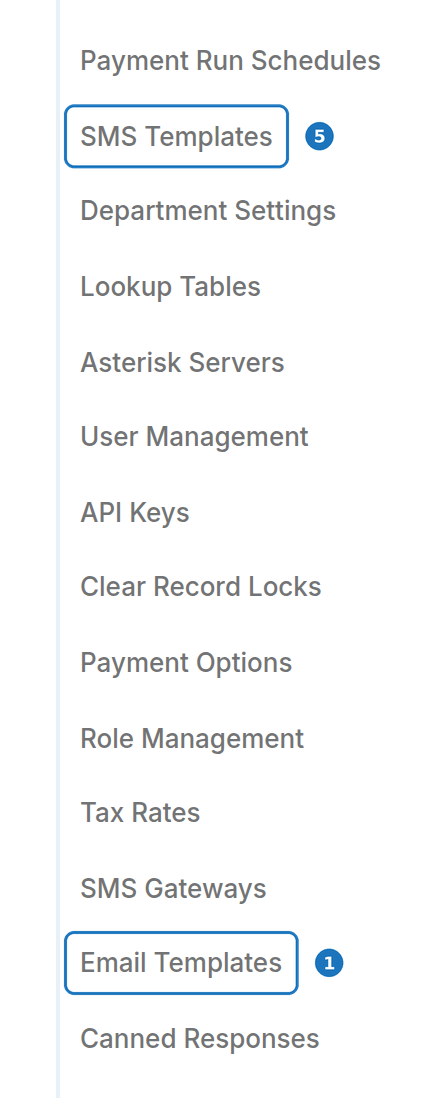
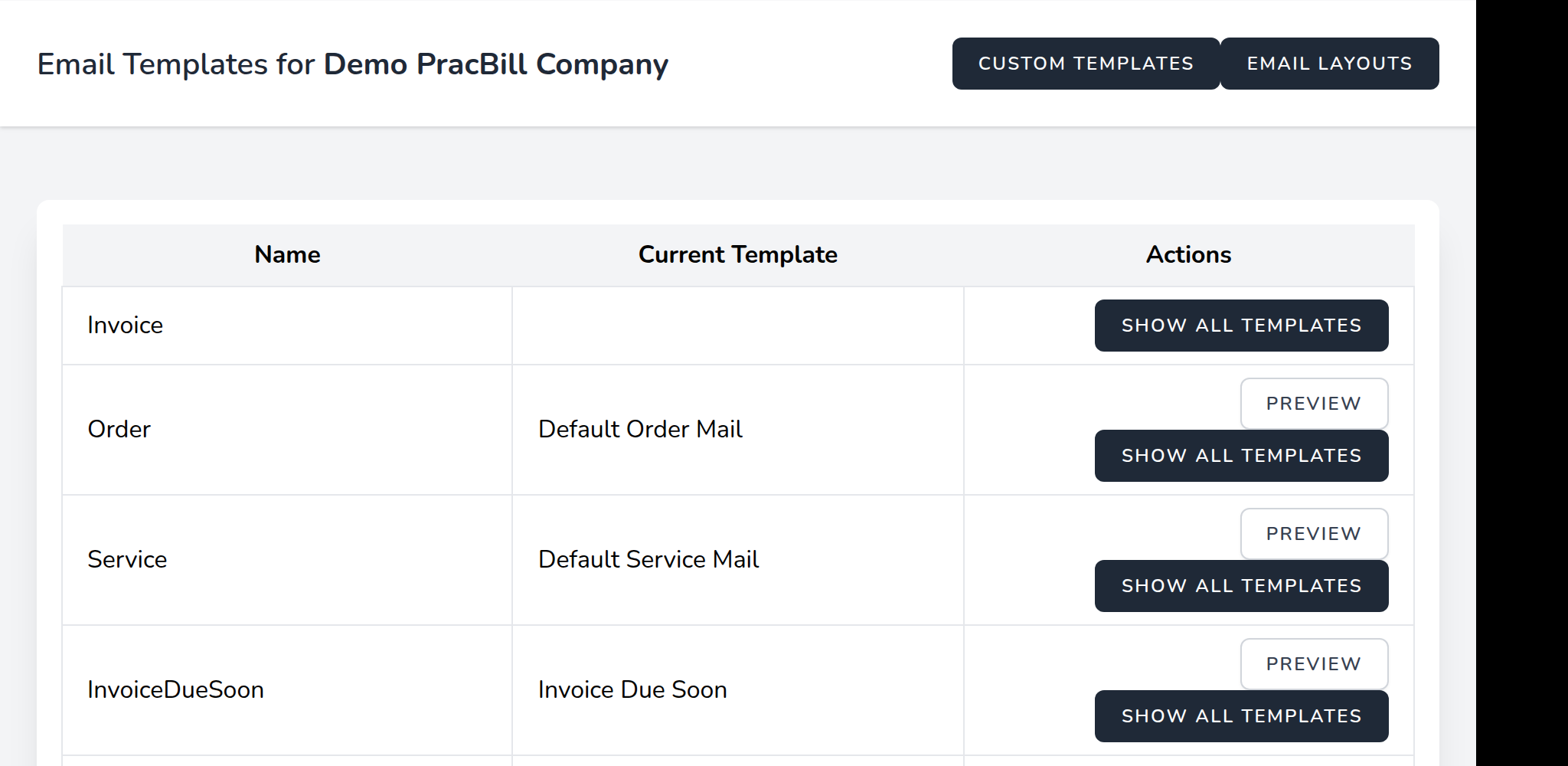
- The list shows every mailable with its Current Template. Click Preview to see the current email, or Show All Templates on the mailable you want to change (for invoices, Invoice).
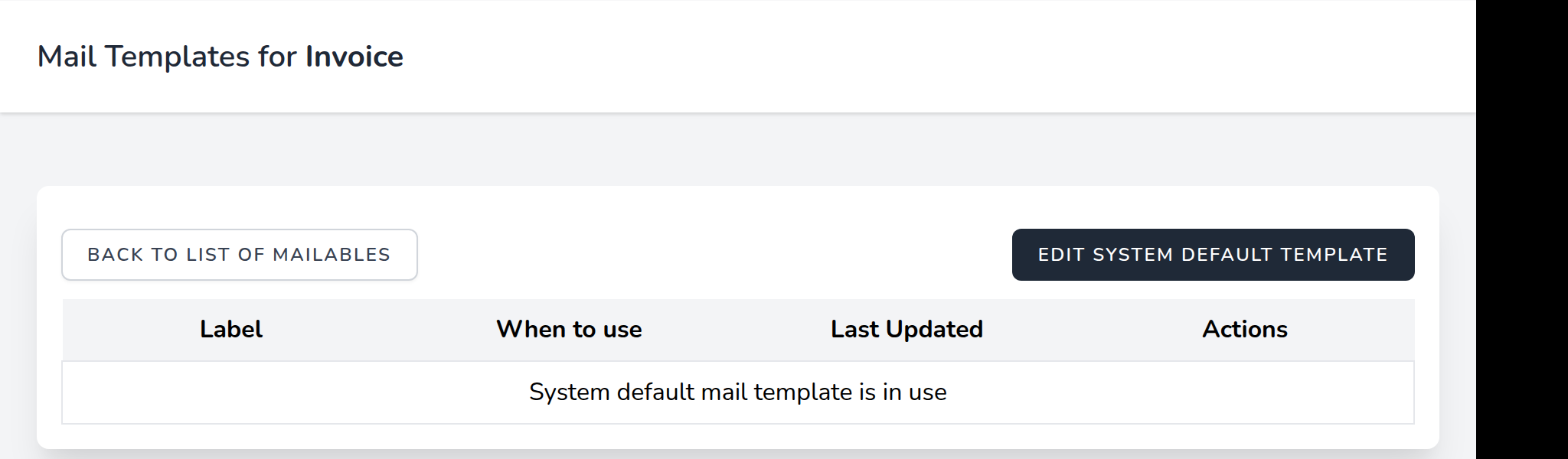
- Click Edit System Default Template to start from the built-in email, or edit an existing template in the list.
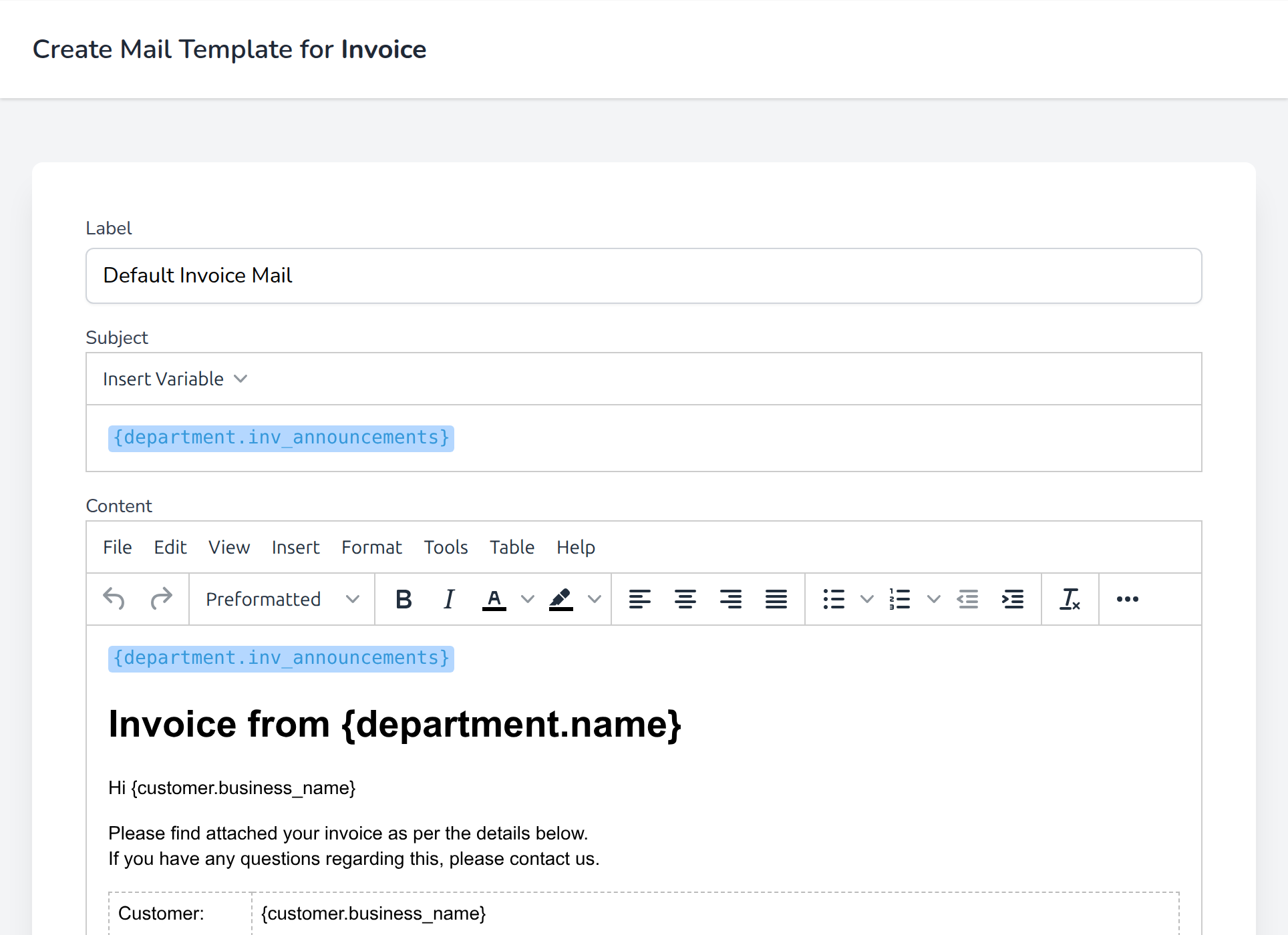
- Fill in the Label, Subject and Content. Use Insert Variable to drop in fields such as
{customer.business_name},{invoice.due_date},{invoice.balance_amount}and{department.inv_announcements}.
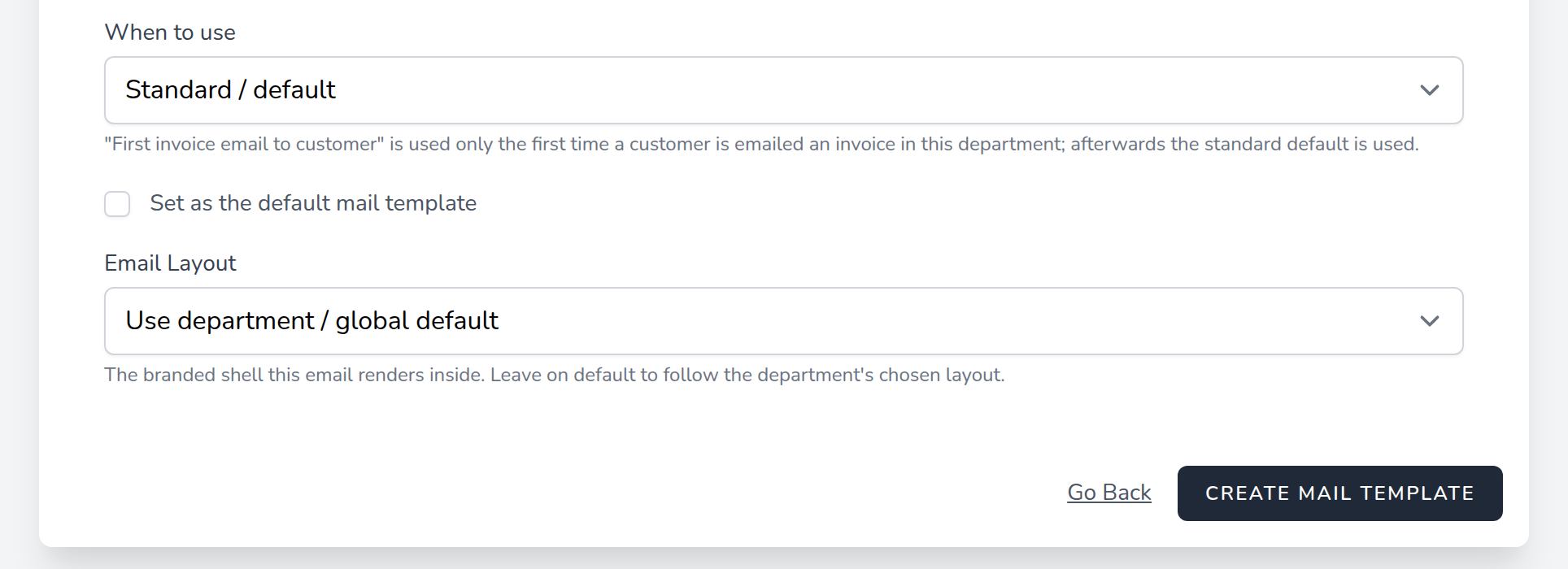
- Choose When to use, tick Set as the default mail template, pick an Email Layout and click Create Mail Template.
| Field | What it does |
|---|---|
| Label | Name shown in the template list; customers never see it. |
| Subject | Email subject line; variables allowed. |
| Content | Email body, rich text with variables. |
| When to use | Standard / default for every email, or First invoice email to customer (Invoice mailable only). |
| Set as the default mail template | Makes this the template used for its When to use situation. Setting a new default only replaces the previous default for the same situation. |
| Email Layout | The branded shell around the email: Use department / global default, Blank (global) or Default layout (global). |
Custom Templates and Email Layouts at the top of the list hold reusable templates and the department's layouts.
¶ First invoice email
Set When to use to First invoice email to customer on a welcome-style template and make it the default. It is sent only the first time a customer in this department is emailed an invoice; every later invoice uses the Standard default. First time is judged per customer per department, and re-sending an invoice that has already been emailed does not count. Keep a Standard default as well.
¶ Overdue and suspension emails
The overdue reminder sequence (on when Overdue Invoice Reminders is enabled in Department settings) uses these templates:
| Days overdue | Template | Purpose |
|---|---|---|
| 1 | PaymentReminder | Reminder that the invoice is overdue |
| 7 | SuspensionWarning | Suspension is coming |
| 28 | SuspensionReminder | Final warning before suspension |
| 60 | ServicesSuspended | Services have been suspended |
¶ SMS templates
SMS templates are picked by SMS actions on notification runs (overdue invoice runs and usage alert runs).
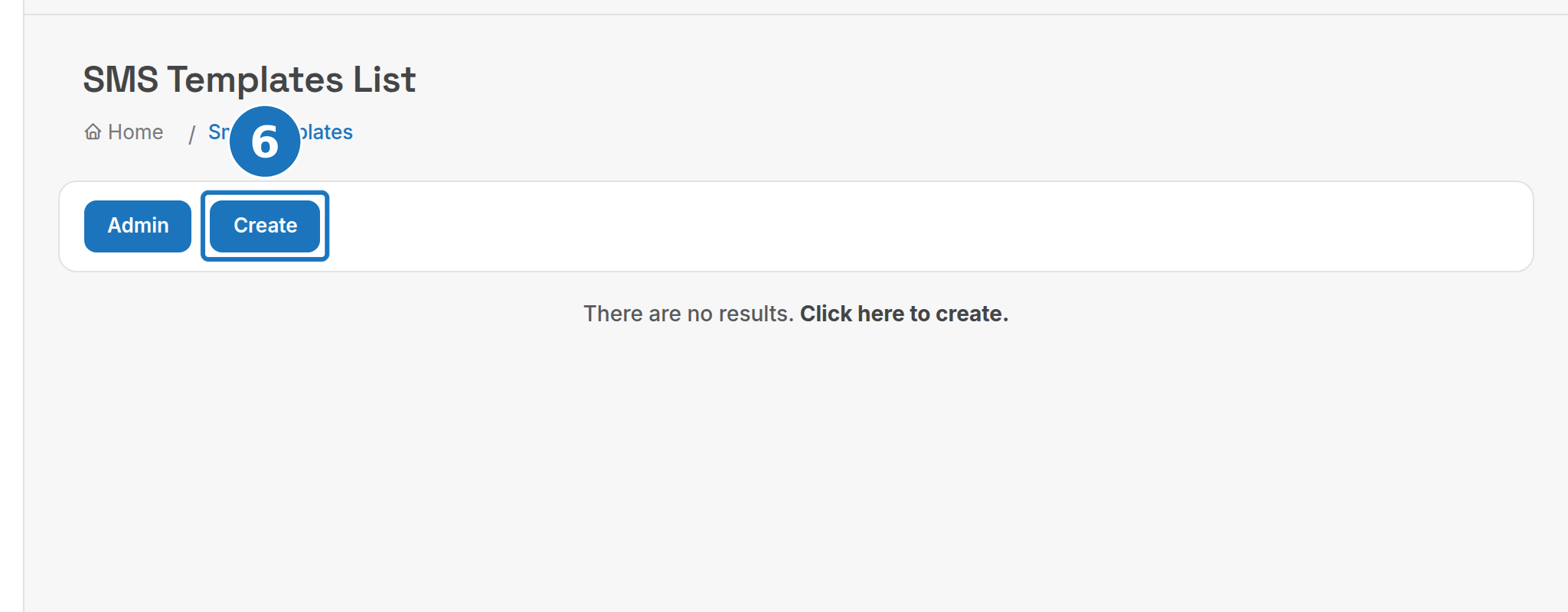
- In the sidebar open Admin, click SMS Templates, then Create.
- Enter a Name.
- Write the Body using the variables below, then click Save.
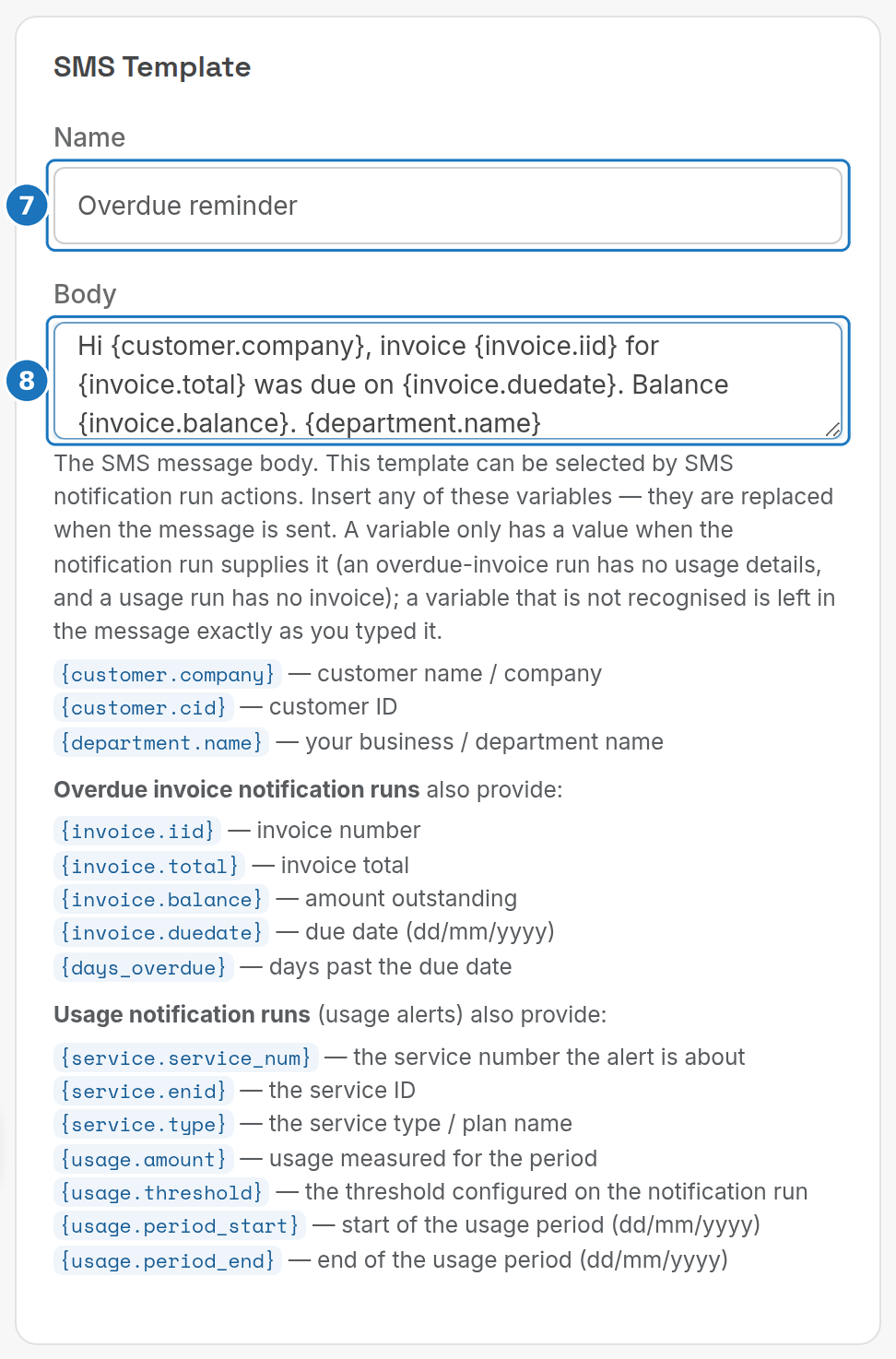
A variable only has a value when the notification run supplies it (an overdue invoice run has no usage details; a usage run has no invoice). An unrecognised variable is left in the message as typed.
| Variable | Value |
|---|---|
{customer.company} |
Customer name or company |
{customer.cid} |
Customer ID |
{department.name} |
Your department name |
{invoice.iid}, {invoice.total}, {invoice.balance}, {invoice.duedate}, {days_overdue} |
Overdue invoice runs only: invoice number, total, amount outstanding, due date (dd/mm/yyyy), days past due |
{service.service_num}, {service.enid}, {service.type} |
Usage runs only: service number, service ID, service type name |
{usage.amount}, {usage.threshold}, {usage.period_start}, {usage.period_end} |
Usage runs only: usage for the period, the run's threshold, period start and end (dd/mm/yyyy) |
Older SMS templates also accepted service fields (enid, service_num, port_dateacc, date_ended, billing_name, monthlyfee, quantity, data_included_mb, data_block_additional_mb, data_block_additional_cost) and service type fields (typeofservice, ratecode, list_price, wholesale_price and the data fields). Use the variables above for new templates.
Next: Helpdesk.