How PracBill charges part months, how to bill a period you missed, and how to invoice a discounted prepaid term. For staff who bill customers; the department settings need an administrator.
¶ Pro-rata charges
When a service starts part-way through a billing period, PracBill charges only the days it was active:
- Check whether the service started during the period being billed.
- Count the days from the service's start date to the end of the period.
- Daily rate = monthly fee x 12 / 365.
- Charge = days x daily rate.
Example from the demo department: a $49.00 trunk started on 30 August, billed for 30 to 31 August = 2 days x ($49 x 12 / 365) = $3.22 ex tax.
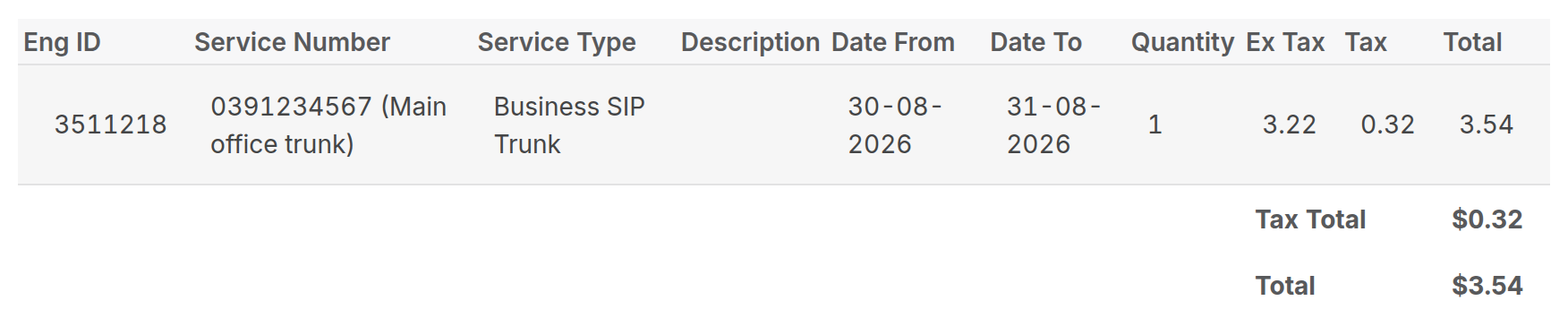
Where the pro-rata amount appears on the invoice is a department setting (Admin → Department Settings → Edit → Billing Behaviour):
- Pro Rata As Items: one product line per pro-rated service.
- Pro Rata As Service Item: an extra service line for the part month (the legacy default).
- Neither on: the part-month charge is folded into the service line itself.
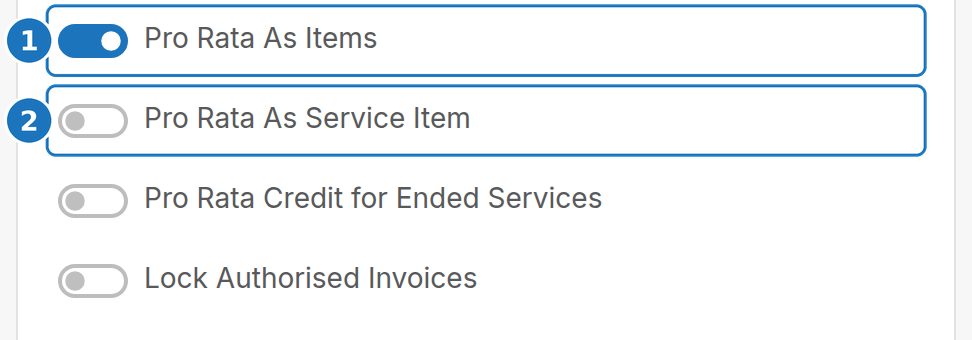
To switch pro-rata off for an invoice type, ask PracBill to set Disable Pro-Rata on it: see Invoice types. Credits for services that end mid-period are on Pro-rata credits for ended services.
¶ Back bill a customer
Use this when you find a customer who was never billed and your department bills monthly on the 1st.
- Check every service is set up with the right price and start date.
- Open the customer, scroll to Unpaid Invoices and click Create New Invoice.
- Turn on Add Service & Subscription Fees. Without it nothing is charged.
- Turn off Charge for Next Month. You are charging the dates below, not the coming month.
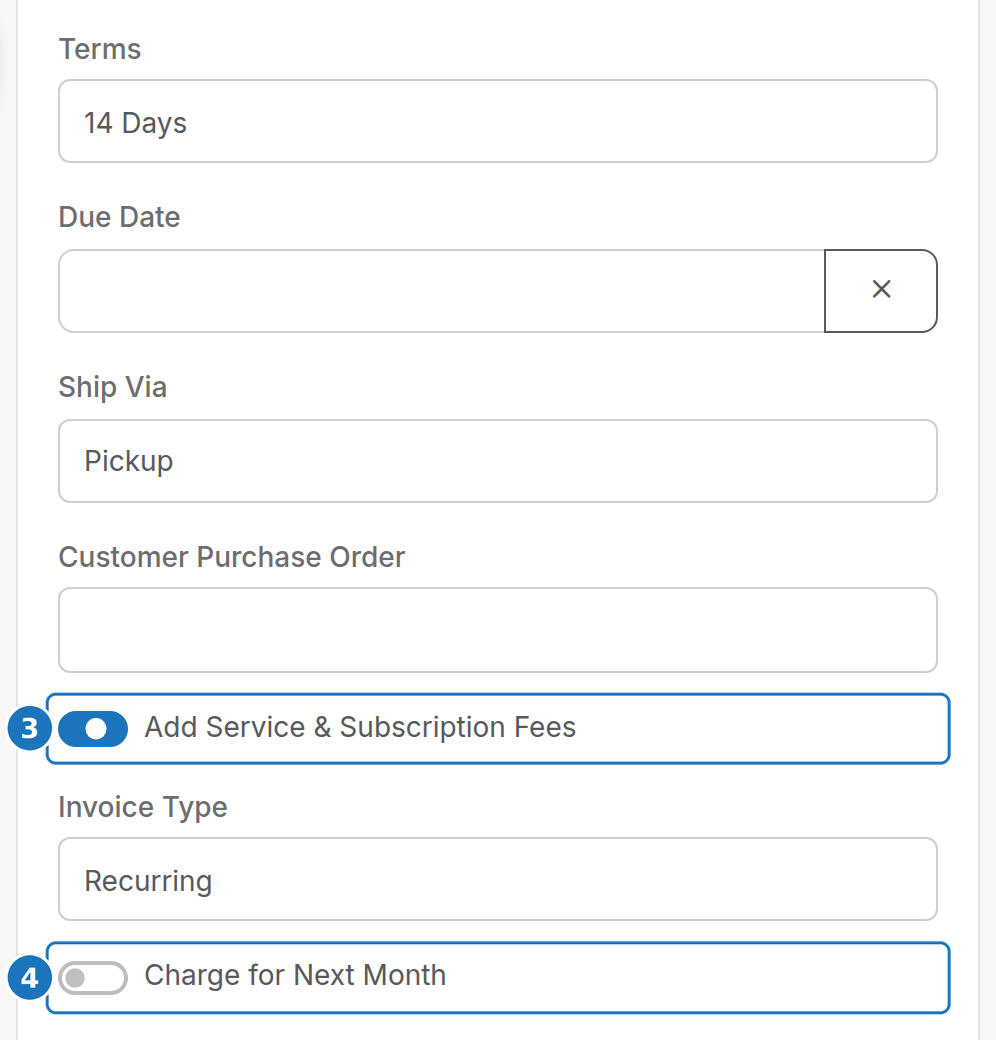
- Set Calls / Subscription Start Period to the first missed month. A service that started later is charged from its own start date.
- Set Calls / Subscription End Period to the end of the month you would normally have billed in advance.
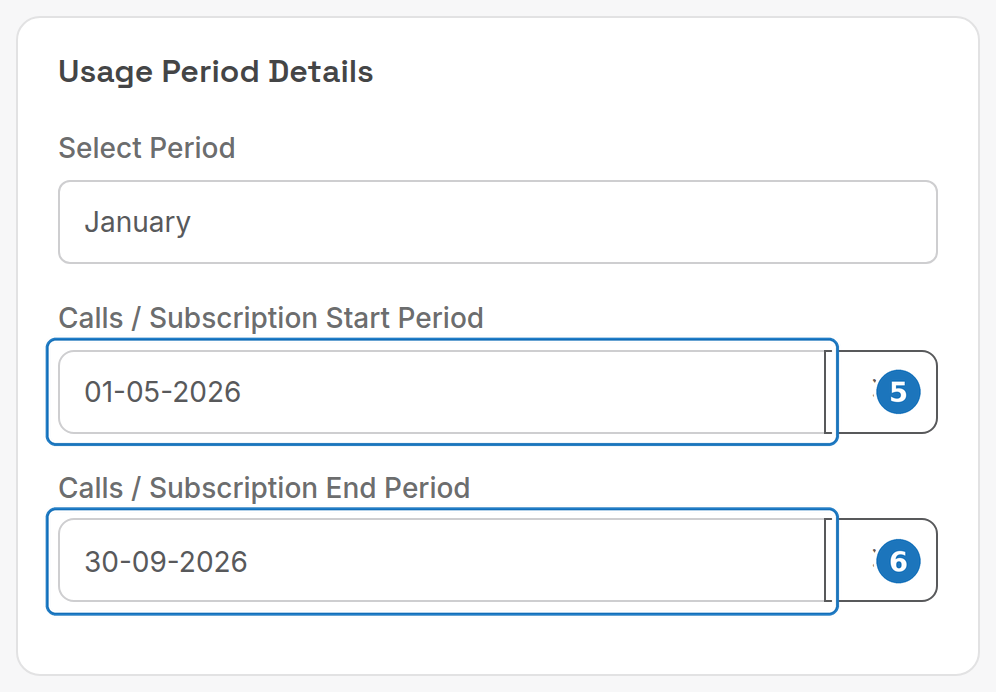
- Click Save. The first save calculates the totals.
| Field | Example (today 5 Feb 2021, unbilled since October) |
|---|---|
| Date | 05-02-2021, or the invoice date you want |
| Terms | Whatever you agreed for the back bill |
| Add Service & Subscription Fees | On |
| Invoice Type | Your usual type |
| Charge for Next Month | Off |
| Start Period | 01-10-2020 |
| End Period | 28-02-2021, because the 1 Feb run was missed too |
If a price was wrong, fix the service and click Re-Process Invoice at the top of the invoice.

Missing calls? Advanced Options → Re-Rate Calls re-rates the period. It can take a long time; open it in a separate browser window so it does not lock the rest of your session.
¶ Prepaid services with a discount
To sell, say, 24 months in advance at a discount:
- Edit the service and set the discounted monthly price.
- Create an invoice for the customer: Date today, a Due Date, Add Service & Subscription Fees on, Start Period the first prepaid day and End Period the last.
- Save, then Re-Process Invoice and check the total.
- Email PDF it to the customer.
- Edit the service again: put the price back to full, and set Next Invoice Date to the last day of the final prepaid month (24 months from 25 April 2020 is 30 April 2022).
The bill runs skip the service until that date.
¶ Free months on a contract
To give a new recurring service its first months free, add a credit for those months. For a $100 a month service with 3 months free, create the service, then add a $300 credit to the customer (see Credit notes). The next bill run invoices the service as normal and the credit absorbs the first three months.