A miscellaneous charge is a one-off line that goes on the customer's next invoice: a delivery fee, a call-out, a hardware item. Enter a negative amount and it becomes a credit instead. Charges can sit on the customer account or on a specific service.
¶ Add a charge to a customer
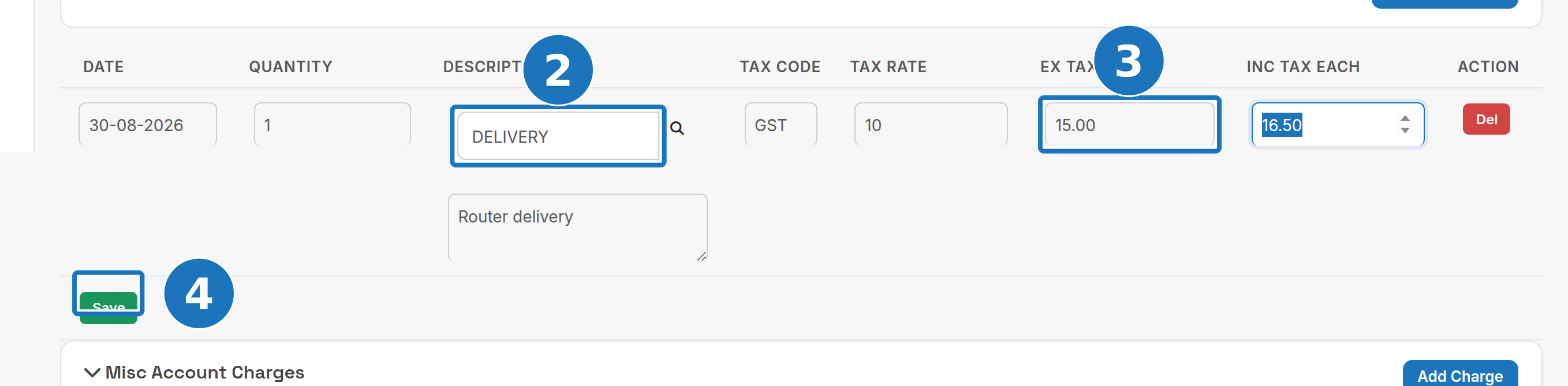
- On the customer page scroll to Misc Account Charges and click Add Charge.

- Enter the Description (or type a product code and use the search to pull one from stock), the date and quantity.
- Enter the Ex Tax Each amount. Choose the Tax Code and PracBill fills the tax rate and Inc Tax Each.
- Click Save.
The charge appears in the card with its subtotal. The Invoice column stays empty until a bill run picks it up.
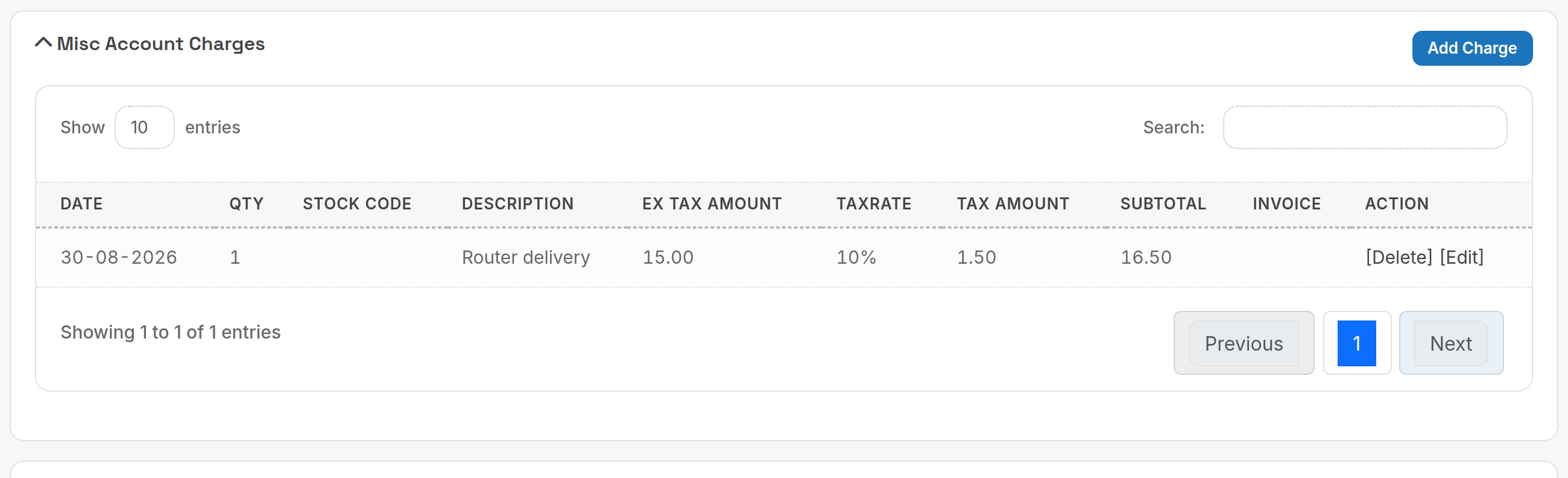
Click the card title to expand or collapse the list. Use [Edit] or [Delete] on a row while it is not yet invoiced.
¶ Add a charge to a service
Open the service (Services → Services, or the Services panel on the customer page). The Misc Charges card works the same way: Add Charge, fill the row, Save. The charge prints under that service on the invoice.

¶ Credits
Enter a negative Ex Tax Each amount to credit the customer on the next invoice. This is the middle option of the three credit methods; see Credit notes and credits for when to use a credit note instead.
¶ Permissions
| Role level | Can |
|---|---|
| Read | See the charges. |
| Read/write | Create and delete charges. |
| Admin | Create and delete charges. |
Related: Credit notes and credits, Services and subscriptions.