The customer form holds everything PracBill knows about an account: who they are, where invoices go, how they are billed and who signed them up. This page lists every field, card by card, plus the contacts that live on the customer page.
¶ Edit a customer
- Open the customer (search by name or ID) and click Edit on the action bar. Change the fields below and click Save.

¶ General information
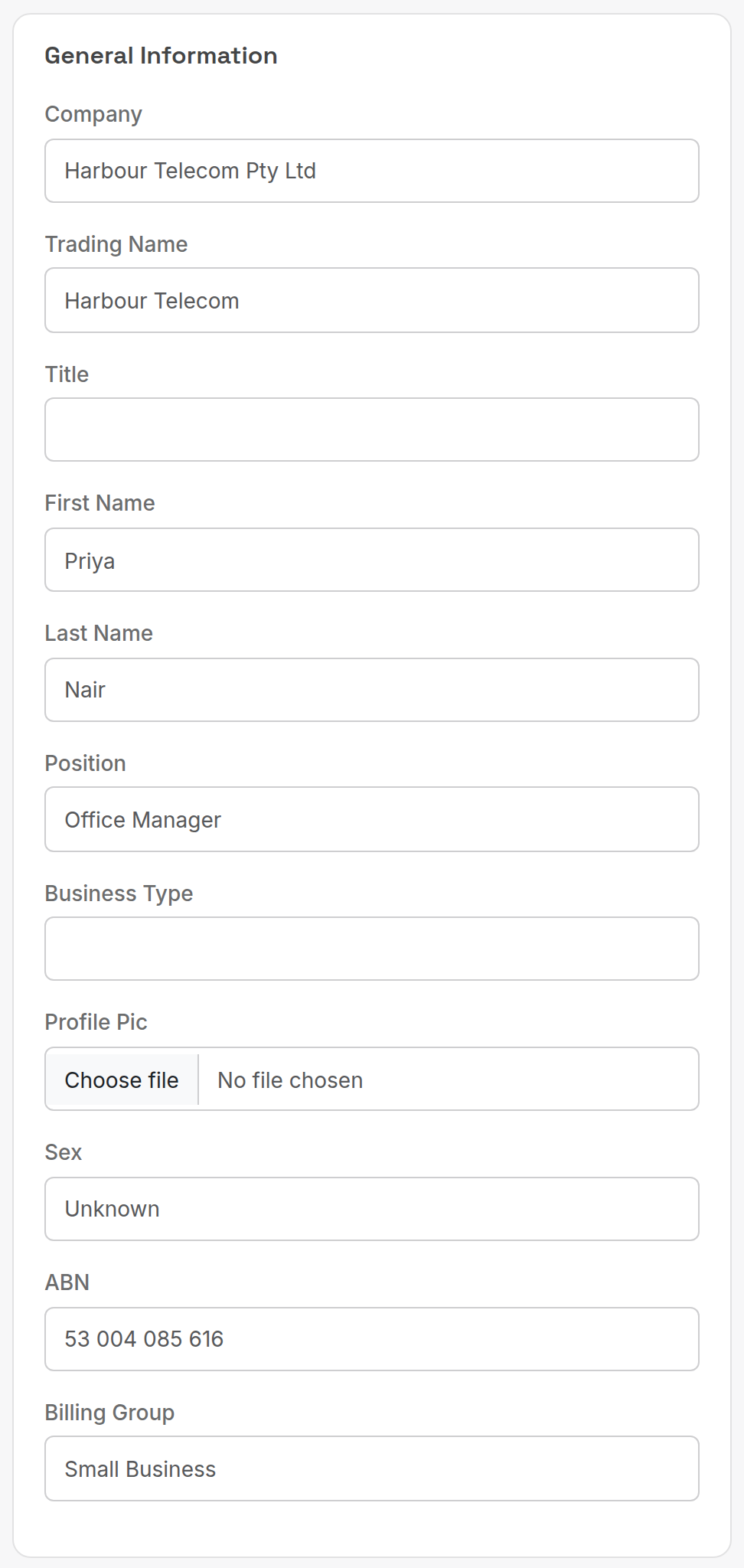
| Field | What it does |
|---|---|
| Company | Legal name, printed on invoices. |
| Trading Name | Name the customer trades under, if different. |
| Title, First Name, Last Name, Position | The main contact person. |
| Business Type | Free text description of the business. |
| Profile Pic | Logo or photo shown on the customer page. |
| Sex | Unknown, male or female. Only useful for residential accounts. |
| ABN | Australian Business Number, printed on invoices. |
| Billing Group | Category from the Billing Groups lookup table (Corporate, Small Business, Reseller and so on). Used for reporting and to exclude groups from bill runs. |
¶ Contact details
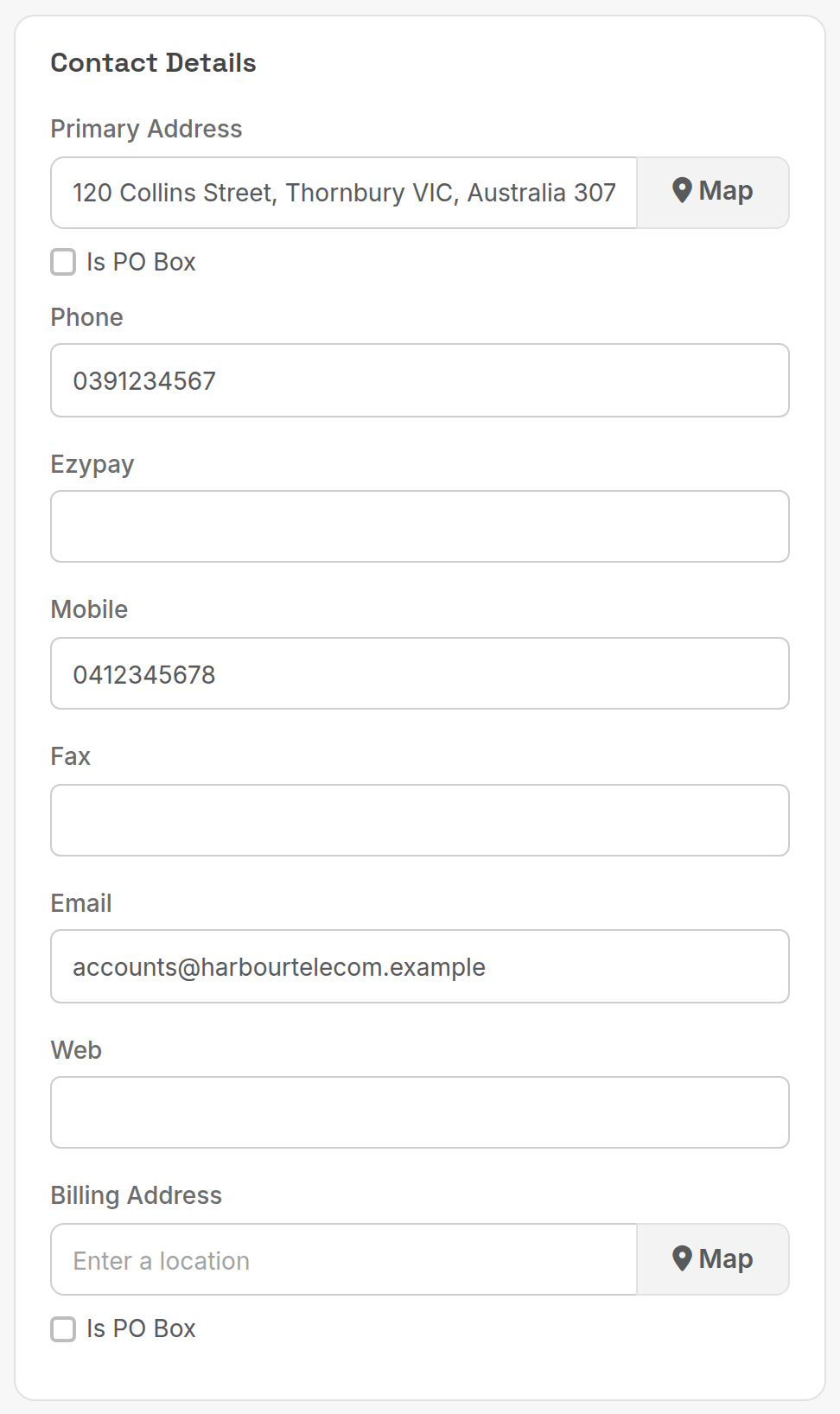
| Field | What it does |
|---|---|
| Primary Address | Start typing and pick the address from the suggestions. Map shows it. Tick Is PO Box for a postal box. |
| Phone, Mobile, Fax, Web | Contact numbers and website. Numbers on the customer page are click-to-dial. |
| Ezypay | Customer reference in Ezypay, for departments using that gateway. |
| Where invoices and reminders are sent. See Accounts contacts below to add more recipients. | |
| Billing Address | Postal address for invoices if different from the primary address. |
¶ Account details
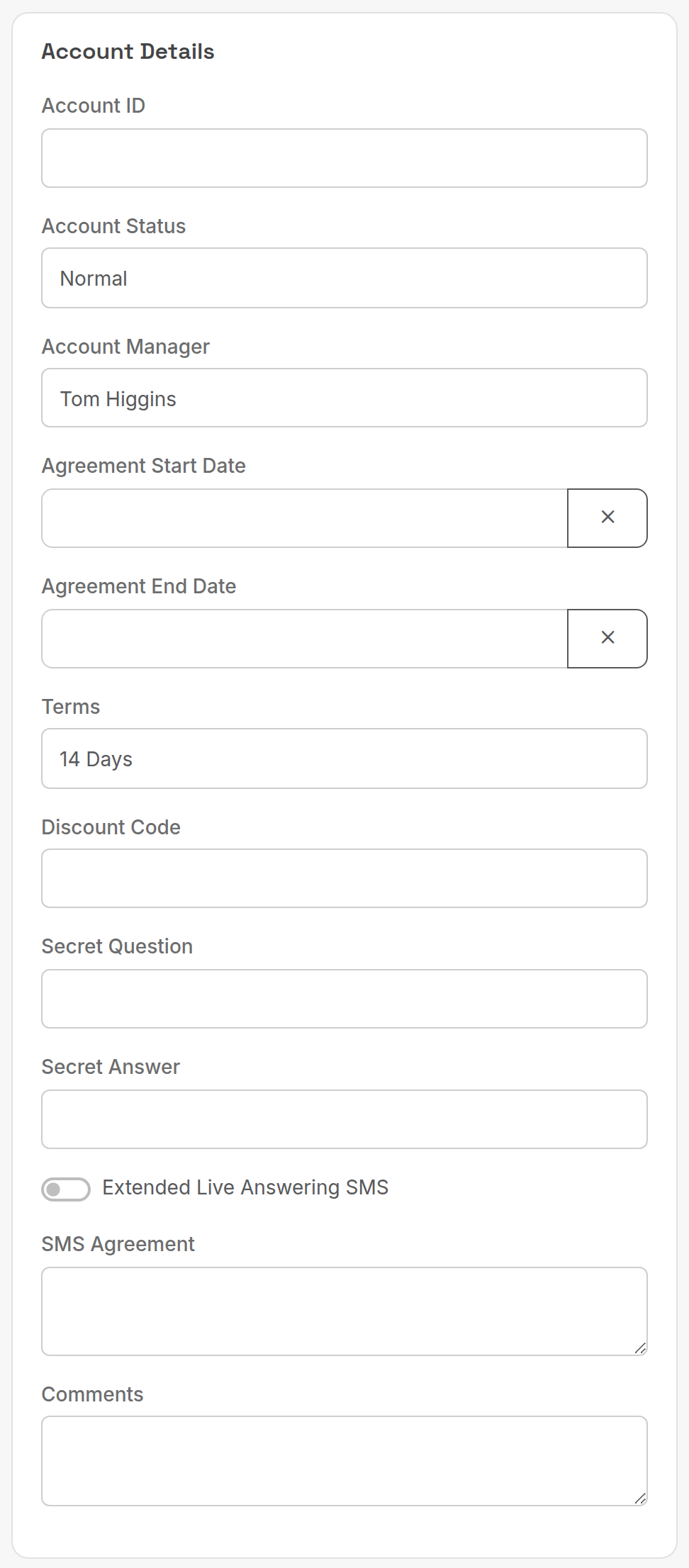
| Field | What it does |
|---|---|
| Account ID | Your own reference for the customer (for example the ID from a previous system). PracBill's own ID is the number in the page heading. |
| Account Status | Normal, Suspended or Disconnected. |
| Account Manager | Staff member responsible for the account. |
| Agreement Start Date, Agreement End Date | Contract dates for the account as a whole. |
| Terms | Payment terms from the Billing Terms lookup table: 7, 14, 21, 28 days or CoD. Sets the due date on invoices. |
| Discount Code | Discount code applied to the account. |
| Secret Question, Secret Answer | Used to verify the caller before discussing the account. |
| Extended Live Answering SMS, SMS Agreement | For departments offering live answering; the agreement text is free form. |
| Comments | Internal notes, not printed. |
¶ Billing details
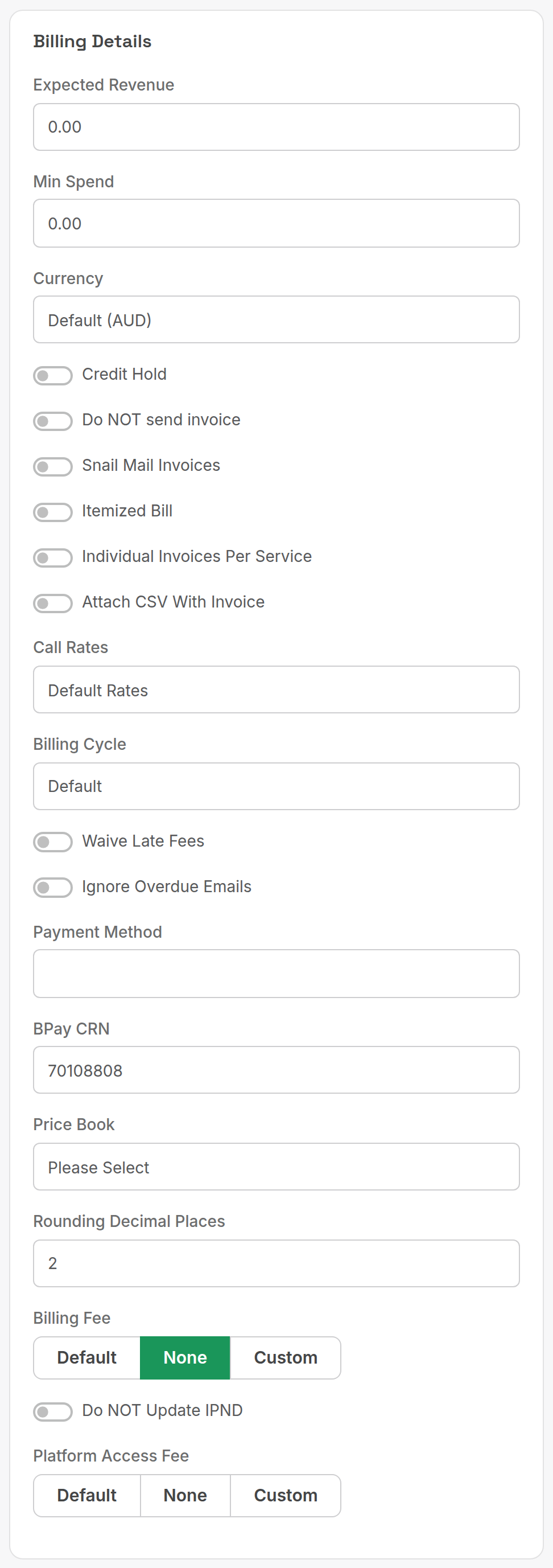
| Field | What it does |
|---|---|
| Expected Revenue, Min Spend | Reporting figures; Min Spend is the minimum monthly commitment. |
| Currency | Default (AUD) or a specific currency for invoices. |
| Credit Hold | Flags the account as on hold. |
| Do NOT send invoice | Invoices are generated but never emailed or posted. |
| Snail Mail Invoices | Print and post invoices instead of email. |
| Itemized Bill | Lists every call on the invoice. |
| Individual Invoices Per Service | One invoice per service instead of one per customer. |
| Attach CSV With Invoice | Emails a CSV of the call records with the invoice. |
| Call Rates | Rate card that prices this customer's calls. Services can override it. |
| Billing Cycle | Default (department setting), Weekly, Monthly, quarterly or annually. |
| Waive Late Fees | Never charge late fees on this account. |
| Ignore Overdue Emails | Skip overdue reminders for this account. |
| Payment Method | How the customer pays. Set to Automated, Credit Card or Direct Debit to charge a saved payment method automatically. Options come from the Payment Method lookup table. |
| BPay CRN | Customer reference number printed on the BPAY panel of the invoice. Generated on save. |
| Price Book | Price book that sets the customer's service prices. |
| Rounding Decimal Places | 2 or 4 decimal places on invoice lines. |
| Billing Fee, Platform Access Fee | Default, None or Custom amount per invoice. |
| Do NOT Update IPND | Keep this customer out of the IPND (emergency services directory) upload. |
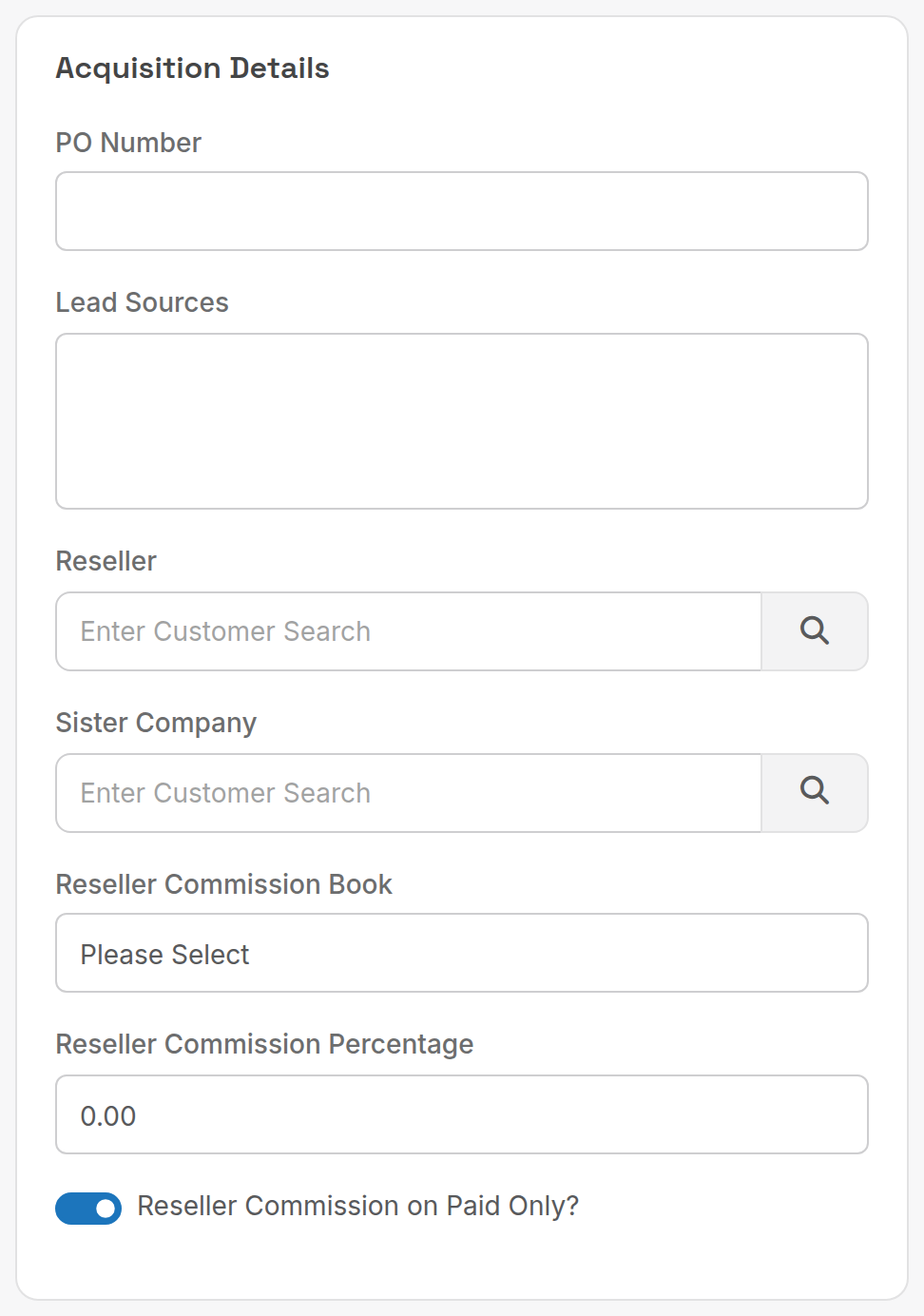
¶ Acquisition details
| Field | What it does |
|---|---|
| PO Number | Customer's purchase order number, printed on invoices. |
| Lead Sources | Where the customer came from (Lead Sources lookup table). |
| Reseller | The reseller (another customer record) who signed this customer up. See Resellers and commissions. |
| Sister Company | Related customer record; commissions include sister companies. |
| Reseller Commission Book, Reseller Commission Percentage, Reseller Commission on Paid Only? | Fill these in on the reseller's own record, not the end customer's. |
¶ Sensitive data
Identity documents and similar are stored behind Show Sensitive Data on the customer page. Clicking it asks for a PIN before anything is shown.
¶ Contacts
Contacts are the people authorised on the account. They show in the Helpdesk and are the only people who can be given the Accounts type for invoice emails.
- On the customer page scroll to Contacts and click Add Contact.
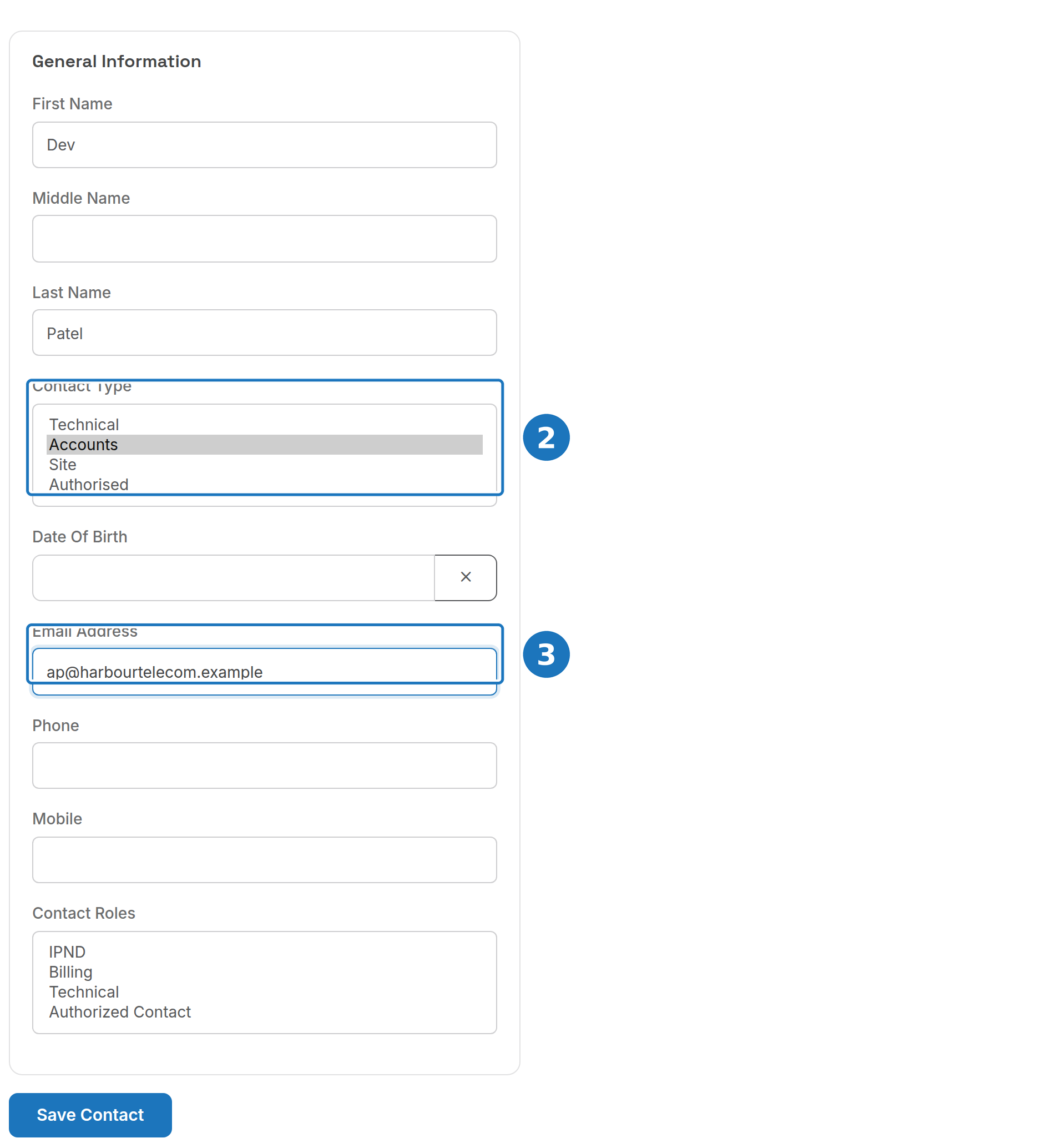
- Pick a Contact Type: Technical, Accounts, Site or Authorised (hold Ctrl to select more than one).
- Enter an Email Address, then click Save Contact.
¶ Accounts contacts and invoice emails
Contacts with the Accounts type receive the same billing emails as the customer's main Email: invoices, the first overdue reminder (1 day), suspension warning (7 days), suspension reminder (28 days) and service suspended notice (60 days). Addresses are deduplicated, so a contact with the same address as the customer gets one copy.
Contacts without the Accounts type get no invoices or bulk email. Only the customer's Email field and Accounts contacts do.
If an accounts contact is not receiving invoices: check the type is Accounts, the email is valid, the contact has not been deleted, and the recipient's spam folder.
Related: Create a customer, Payment methods.