Exception calls are call records (CDRs) that PracBill could not rate: it found no service to bill the call to, or no call type matched it. They never reach an invoice, so clear the list before each bill run. For how rating works see Call rating.
¶ Why a call becomes an exception
| Cause | Fix |
|---|---|
| No service matched. The account code, caller ID, destination or DID on the record belongs to no active service in your department. Usually a new number that has not been added yet, or a service entered with the wrong number. | Add the service, or correct the service number. Which CDR field must match is set by Service Account Fields on the call type. |
| No call type matched. None of your call types' patterns fit the caller ID and destination. | Fix the pattern on the call type, or add a call type for that traffic. |
The list shows the current calendar month only, and only calls with talk time. Unanswered calls and calls you have chosen to Ignore are left out.
¶ Review the list
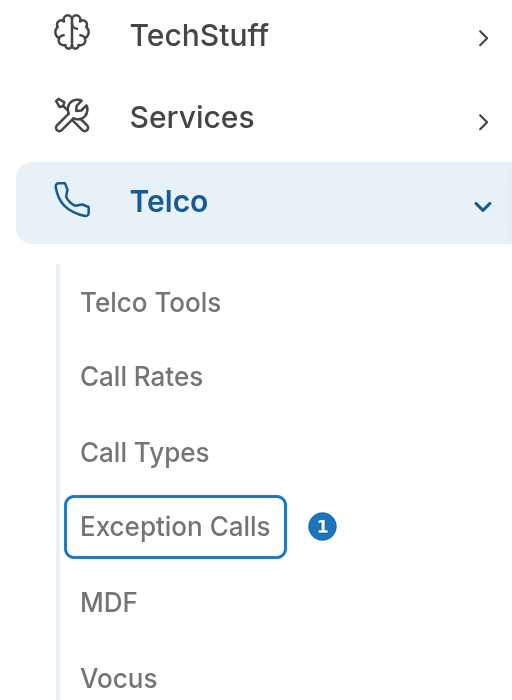
- In the sidebar open Telco, then click Exception Calls.
- The list groups this month's exception calls by Account Code, one row per unknown number. Click Group by Caller ID or Group by Destination to regroup.
- Click Export List to download every individual call as a CSV.
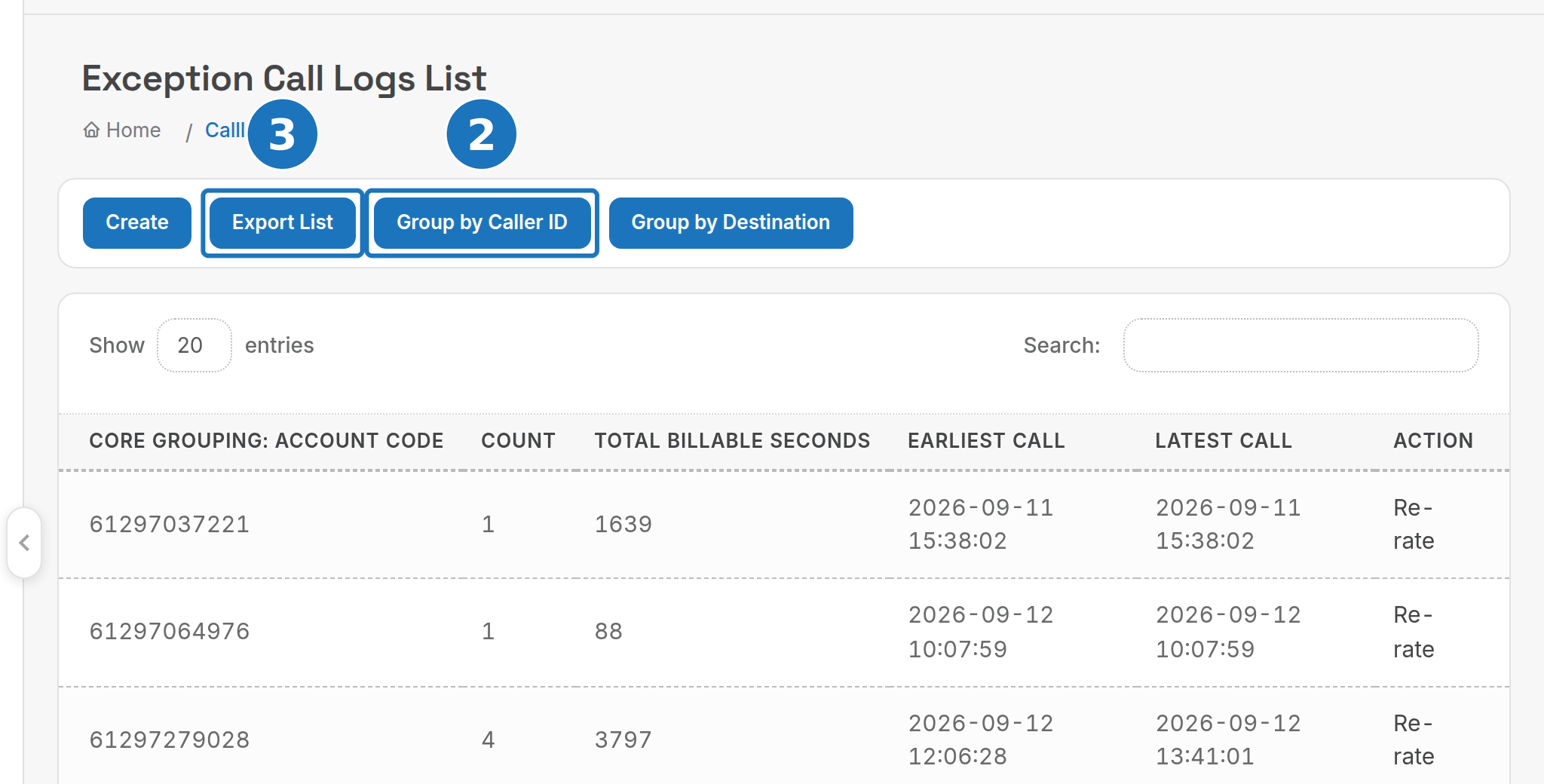
| Column | What it shows |
|---|---|
| Core Grouping | The account code, caller ID or destination the calls share. |
| Count | Number of exception calls with that value this month. |
| Total Billable Seconds | Talk time across those calls: what you are not billing. |
| Earliest Call / Latest Call | Date range of the group. |
| Action | Re-rate link and its status. |
The CSV lists each call's id, date, source, direction, account code, caller ID, destination, talk seconds, application, carrier call ID and description.
A row with a high Count is nearly always one missing service. Fix that first: it clears the most calls in one go.
¶ Fix and re-rate
- Fix the cause: add the missing service or correct the call type pattern (see the table above).
- Back on the list, click Re-rate on the group's row. PracBill re-rates every call in that group for the month. The label beside the link shows In Progress, then Done or Failed.
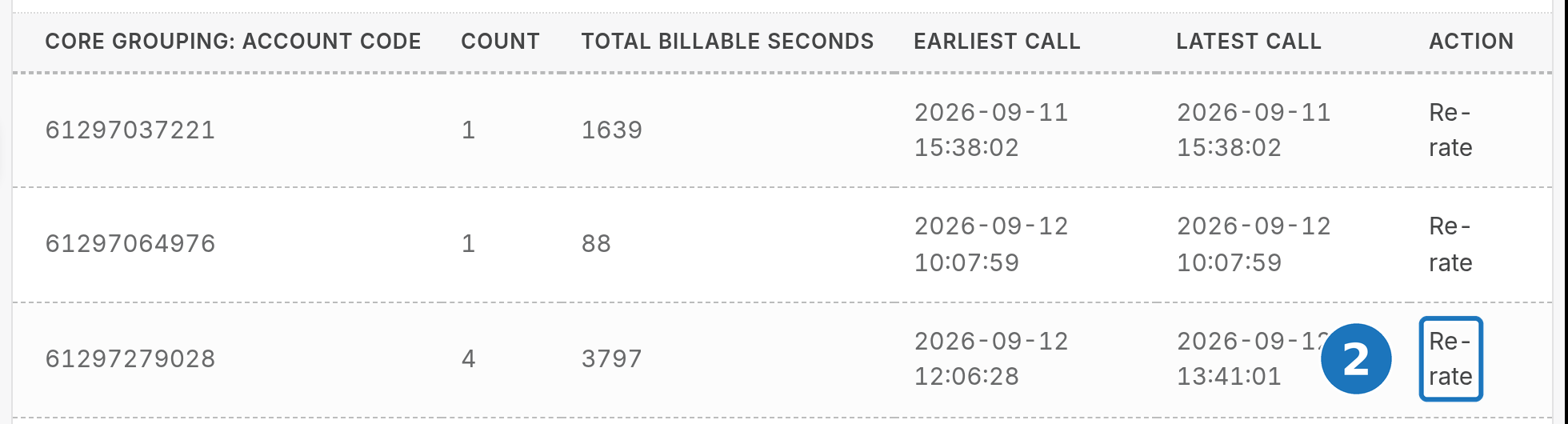
Calls that rate successfully drop off the list and are billed to their service on the next bill run. Calls still listed after Done still have no matching service or call type.
¶ Work on one call
The grouped list does not link to individual calls. Take the id from the exported CSV and open /calllogs/view.php?id=<id> in your PracBill portal. The banner reads CDR Rating Error while the call is unrated.
- Re Rate re-rates this call only, after you have fixed the cause.
- Ignore drops the call from the list without billing it. Use it for traffic you never want to bill, such as test calls.
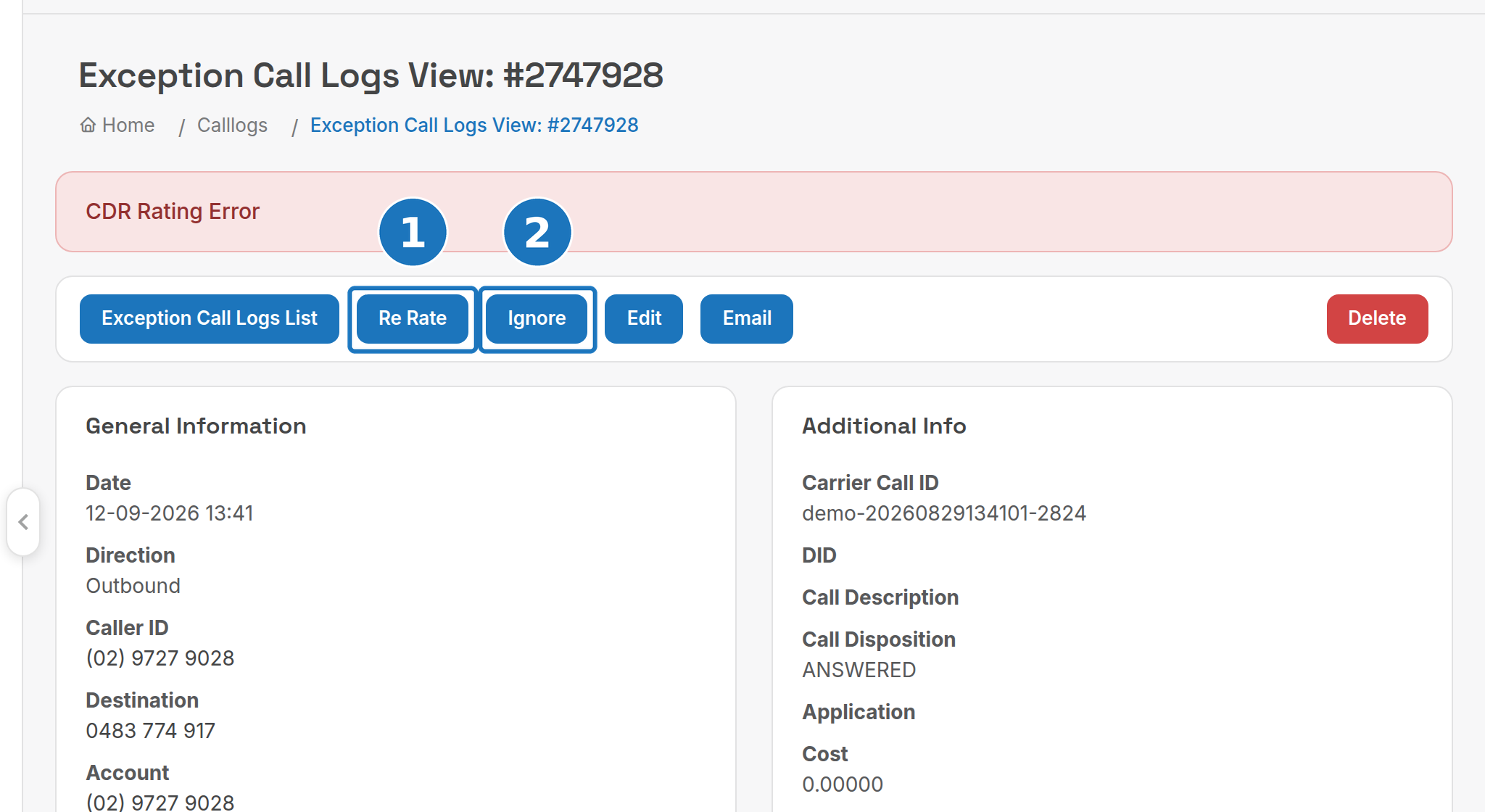
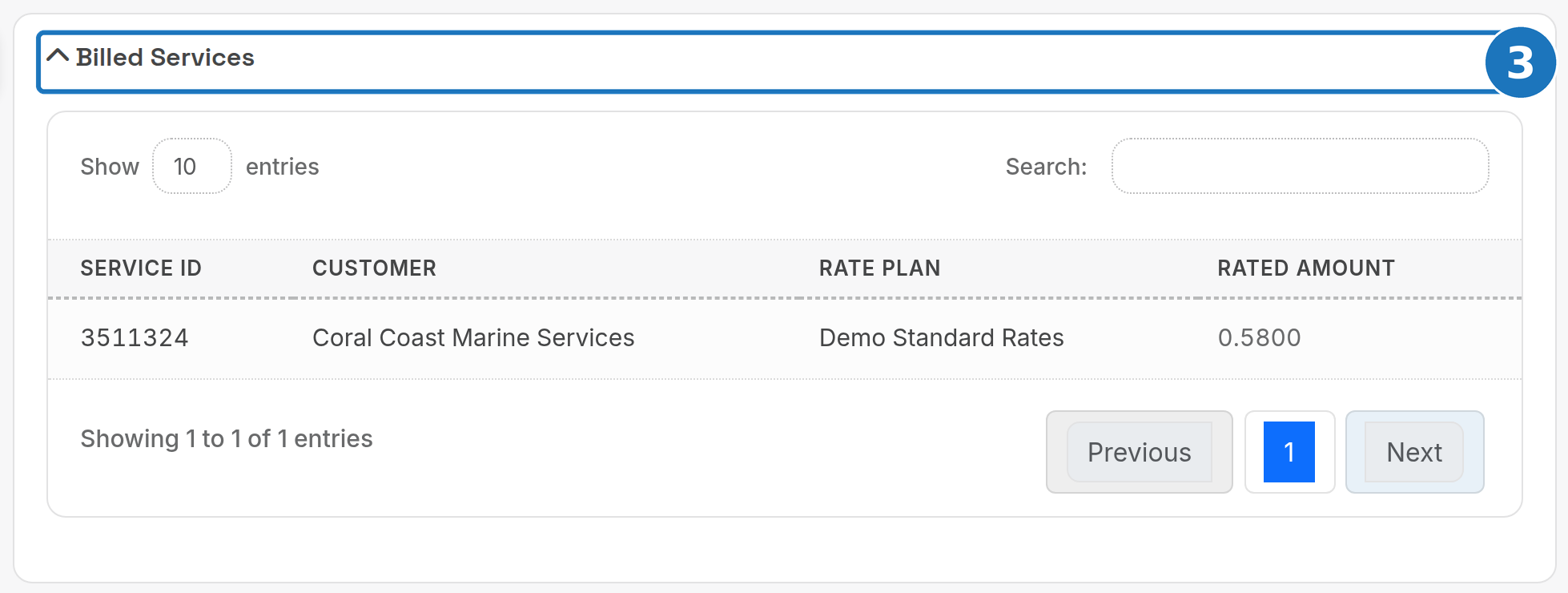
- Once the call has rated, the banner changes to CDR Has Rated and Billed Services shows the service, customer, rate plan and rated amount.
Use Edit to correct a field on the record, such as a mistyped account code, then Re Rate.
Ignore has no undo in the portal. The call stays unbilled for good.
Related: Call rating, Add a service, Bill runs.