When a payment gateway (Stripe, GoCardless, Payrix, Ezidebit and so on) is connected to a Xero-integrated department, its payments must land in a Bank-type clearing account in Xero, not a real bank account. This page is for whoever sets up the gateway and reconciles the books.
¶ How gateway payments reach Xero
- A payment is taken in PracBill through the gateway.
- That night PracBill pushes the payment to Xero, marks the invoice paid and posts the money to the gateway's clearing account.
- When the gateway settles to your real bank account, you reconcile that deposit against the clearing account in Xero (create the receipt into the clearing account; do not allocate it to invoices).
- Post a ledger entry for the gateway fees deducted from the settlement.
Payments only push if the payment option in PracBill points at a clearing account: see Xero integration for the sync times.
¶ Create the clearing account in Xero
| Setting | Value |
|---|---|
| Account Type | Bank (not Current Asset) |
| Name | Named after the gateway, e.g. "Stripe Clearing Account" |
| Bank account number | Any placeholder, e.g. STRIPE-CLEARING; Xero requires one but it means nothing |
| Bank feed | None. Never connect a feed to the clearing account |
The account must be Bank type. Xero only allows overpayment transactions (a customer paying two invoices at once, paying the wrong amount, or prepaying) on Bank accounts. On a Current Asset account those pushes fail silently and leave orphaned records that take a manual clean-up to unwind.
Xero will not convert a Current Asset account to Bank ("Cannot update Account Type to Bank"). If you already use a Current Asset clearing account: create a new Bank-type account with a different code, point PracBill at it, and contact support@pracbill.com.au if historical transactions need migrating.
A bank feed on the clearing account creates ghost statement lines that break the settle-to-real-bank flow.
¶ Add the clearing account in PracBill
After you connect Xero, sync the chart of accounts so the new account appears in PracBill (see Xero integration). If you keep your own chart in PracBill, add it by hand:
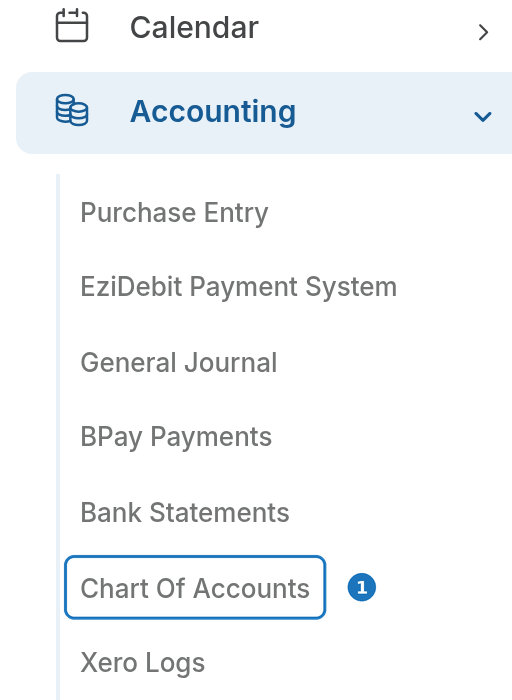
- In the sidebar open Accounting, then click Chart Of Accounts.
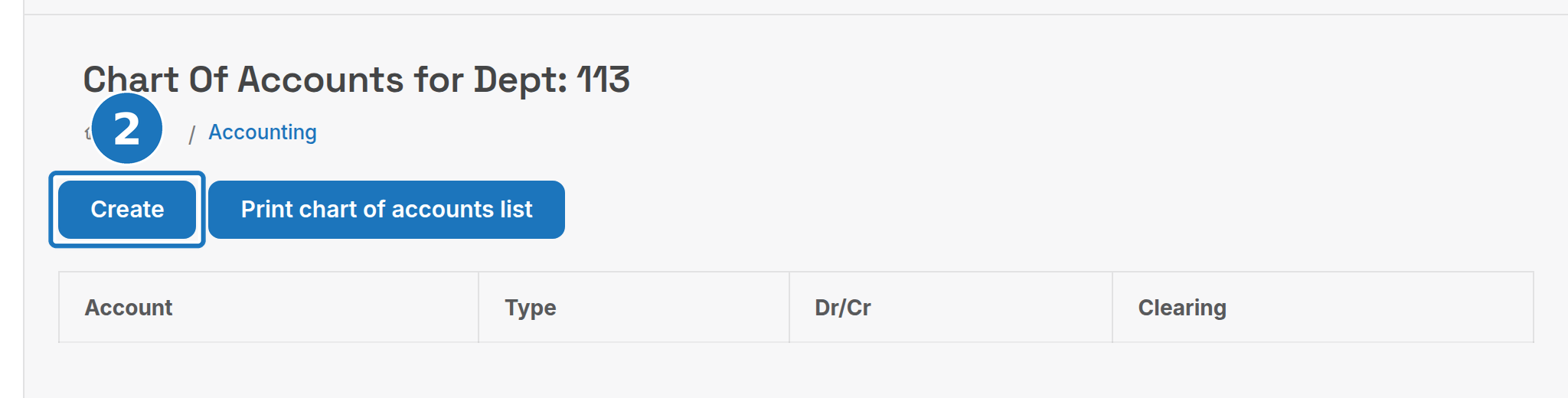
- Click Create.
- Set Account Type to Bank.
- Turn on Is Clearing Account, fill in the Account Number and Description, and click Save.

Then open Admin, Payment Options, edit the gateway's payment option and choose the clearing account as its bank or clearing account. The account field only shows once Accounting Enabled is on in Department Settings. See Payment gateways.
¶ Reconcile the settlement in Xero
Set up a bank rule once so each gateway settlement is created into the clearing account automatically.
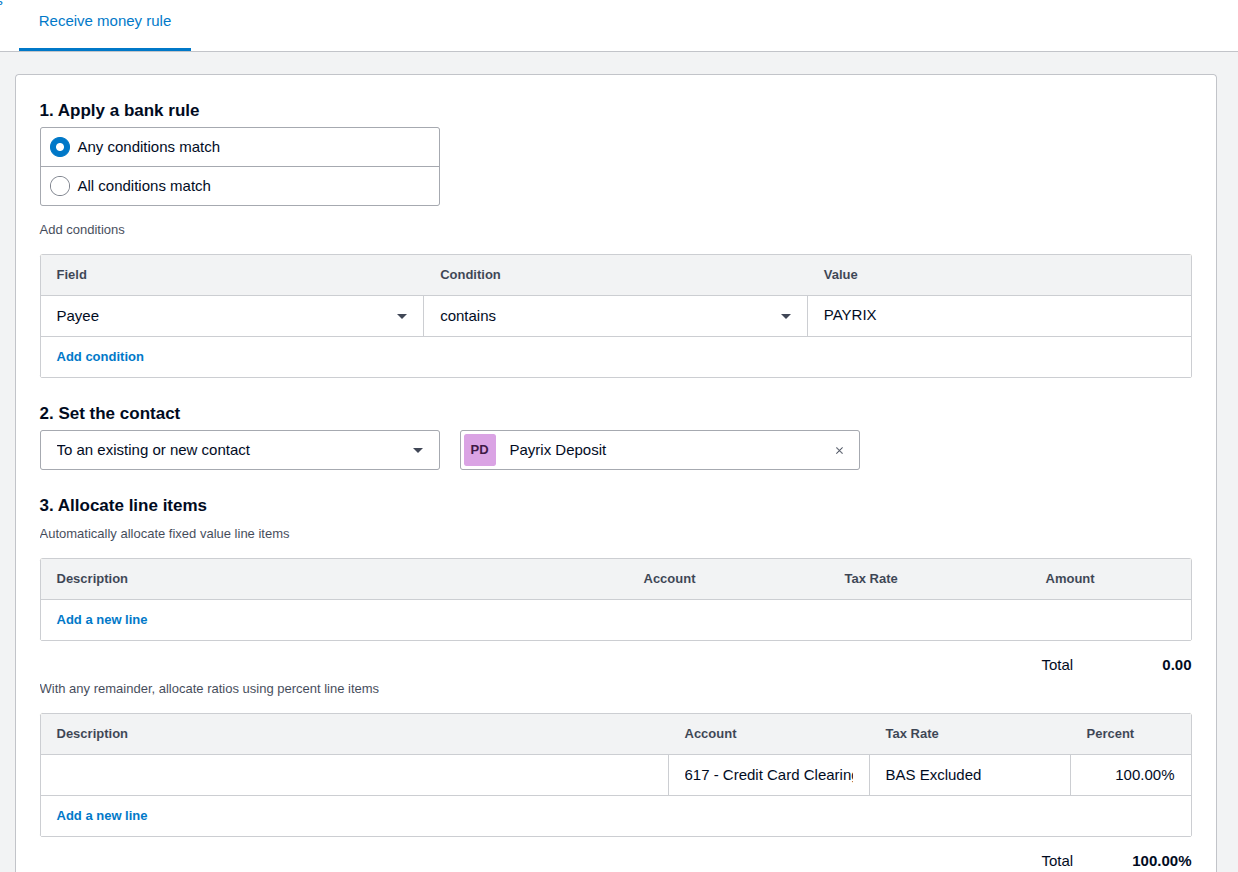
- In Xero create a Receive money rule: condition Payee contains the gateway name (e.g.
PAYRIX), contact set to a gateway contact, and allocate 100% to the clearing account with tax rate BAS Excluded.
- On the bank feed, apply the rule to each settlement with OK.

- Enter the gateway's fees as a separate spend money transaction against the clearing account.
¶ Why Bank type
Xero's developer guidance for payment processor receipts calls for a Bank-type clearing account with no feed. The reasons are structural:
| Case | What Xero requires |
|---|---|
| Overpayments | RECEIVE-OVERPAYMENT bank transactions are only allowed on Bank accounts; a Current Asset account rejects the call and PracBill's push errors |
| Refunds of overpayments | AROVERPAYMENTPAYMENT records likewise need a Bank account |
| Clean-up | Bank accounts support the full range of API operations; Current Asset accounts can only be fixed by hand in the Xero UI |
A Current Asset account appears to work for plain invoice payments; the first overpayment breaks it, and the breakages accumulate silently.
Next: Payment gateways.