Every PracBill customer is linked to one contact in Xero, and every invoice for that customer is pushed to that contact. Use this page when a customer is linked to the wrong Xero contact, or when you want to link a customer to a contact that already exists in Xero. You need Xero connected first: see Xero integration.
¶ How customers are linked to Xero
PracBill creates the Xero contact the first time the customer is invoiced, with the PracBill customer ID as the Xero Account Number, and stores the contact's Xero ID on the customer. From then on PracBill uses that stored ID, not the name or account number, to decide where the customer's invoices go.
The link can point to the wrong place when:
- the customer already existed in Xero before you connected, and PracBill created a second contact for them
- someone merged, archived or recreated the contact in Xero
- two PracBill customers were linked to the same Xero contact
¶ Connect or reassign a customer's Xero contact
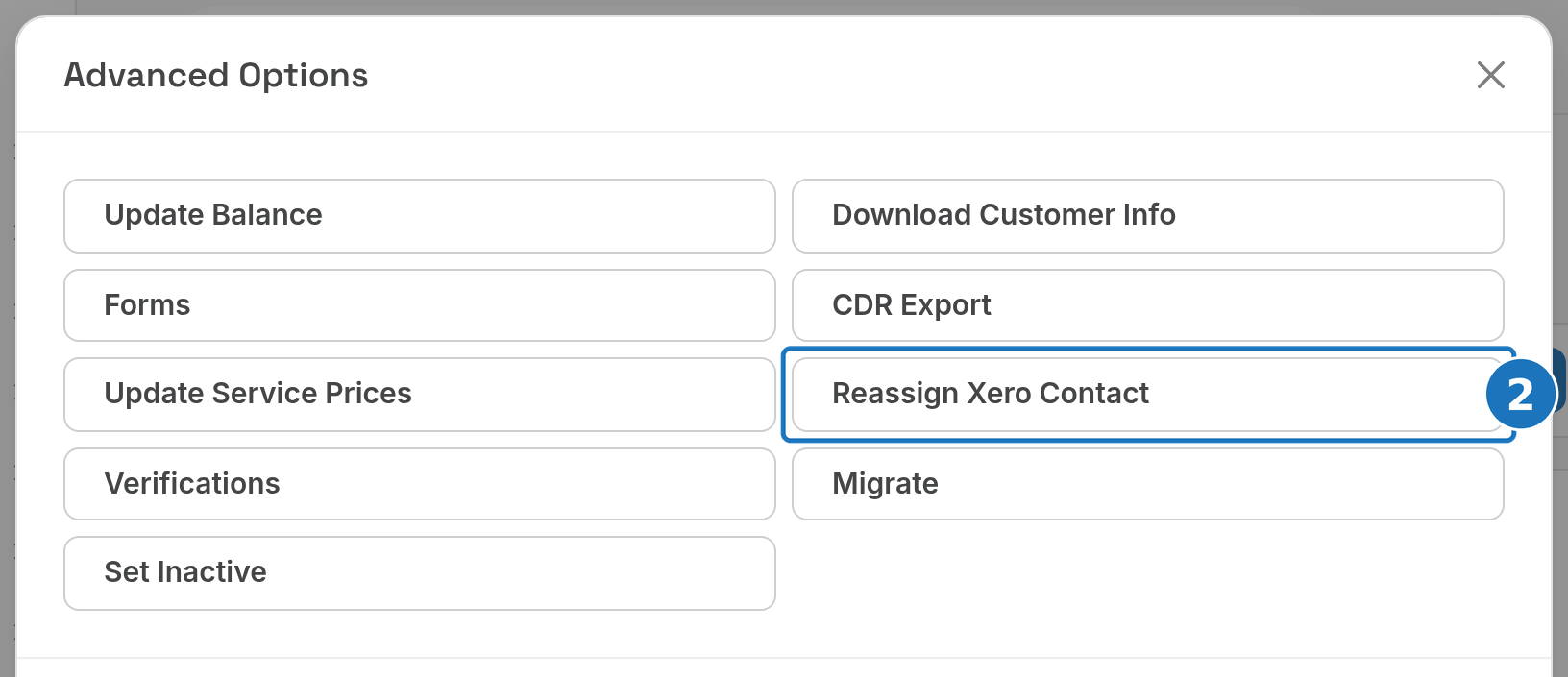
- Open the customer and click Advanced Options.

- Click Reassign Xero Contact.
- Check the blue panel: it shows the customer, the Current Xero ID (none if the customer has never been linked) and the Current Xero contact it points to. Type in Search Xero contacts to find the right contact by name.
- Select the contact. Compare the Account # with the PracBill customer ID and pick a contact with status ACTIVE.
- Click Reassign. The page reloads once the link is saved.
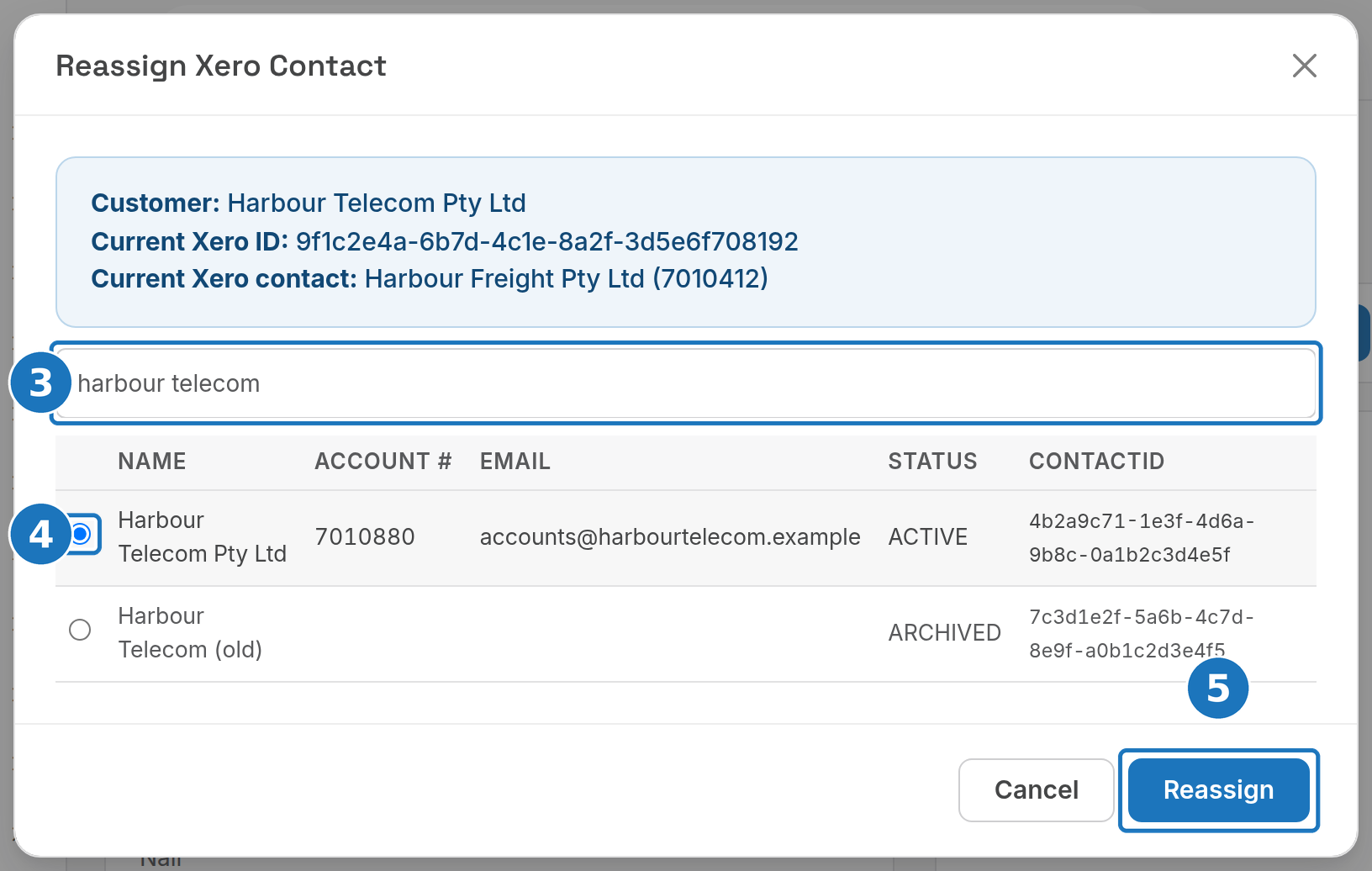
| Column | What it shows |
|---|---|
| Name | The contact name in Xero. |
| Account # | The contact's account number in Xero. Contacts PracBill created hold the PracBill customer ID. |
| The contact's email in Xero. | |
| Status | ACTIVE or ARCHIVED in Xero. |
| ContactID | Xero's own ID for the contact. This is the value stored on the customer. |
The list opens with the first 100 contacts in your Xero organisation. Typing searches the whole organisation, so search when the contact you need is not shown.
Do not link a customer to an archived contact. Invoices for a customer whose contact is archived in Xero are skipped. Restore the contact in Xero first, or pick an active one.
¶ Check the result
- Open Advanced Options, Reassign Xero Contact again: the panel shows the new Current Xero contact.
- Wait for the 9:00 PM push, or open Accounting, Xero Logs and click Push Invoices to push the customer's waiting invoices now. Check Xero Logs for errors. See Sync by hand.
Related: Xero integration, Customer details.