A department is one billing entity in PracBill: its name, logo, ABN and sender address print on every invoice, and its billing behaviour toggles decide how invoices, payments and pro-rata are handled. Check these before you bill anyone.
¶ Edit your department
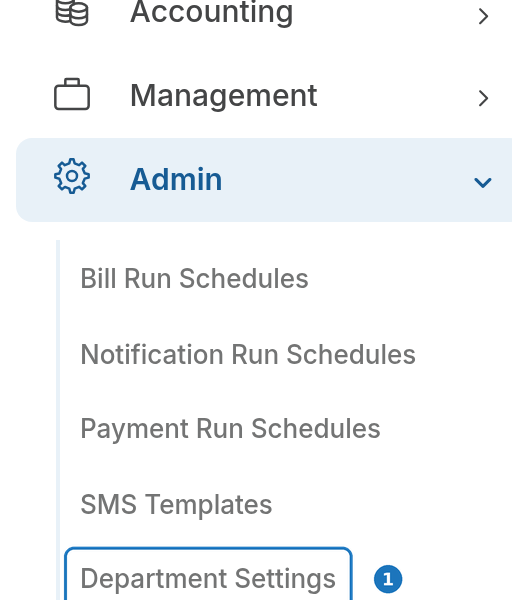
- In the sidebar open Admin, then click Department Settings.
- Click Edit.

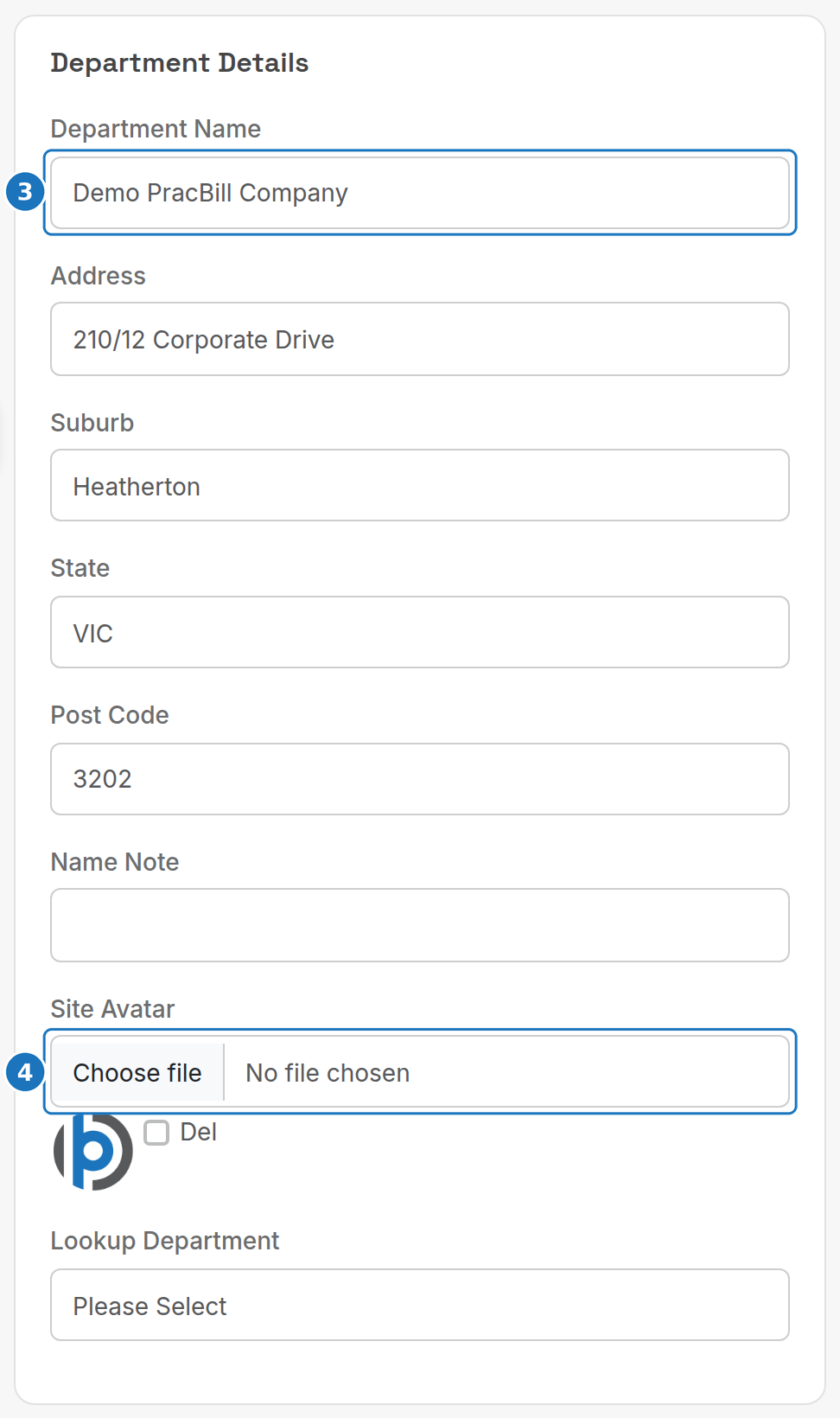
- Check the Department Name and address.
- Upload a Site Avatar, your logo, shown top-left on every PracBill page. Use a 200 × 200 px image with a transparent background and about 15 px of padding, or the rounded frame clips the corners.
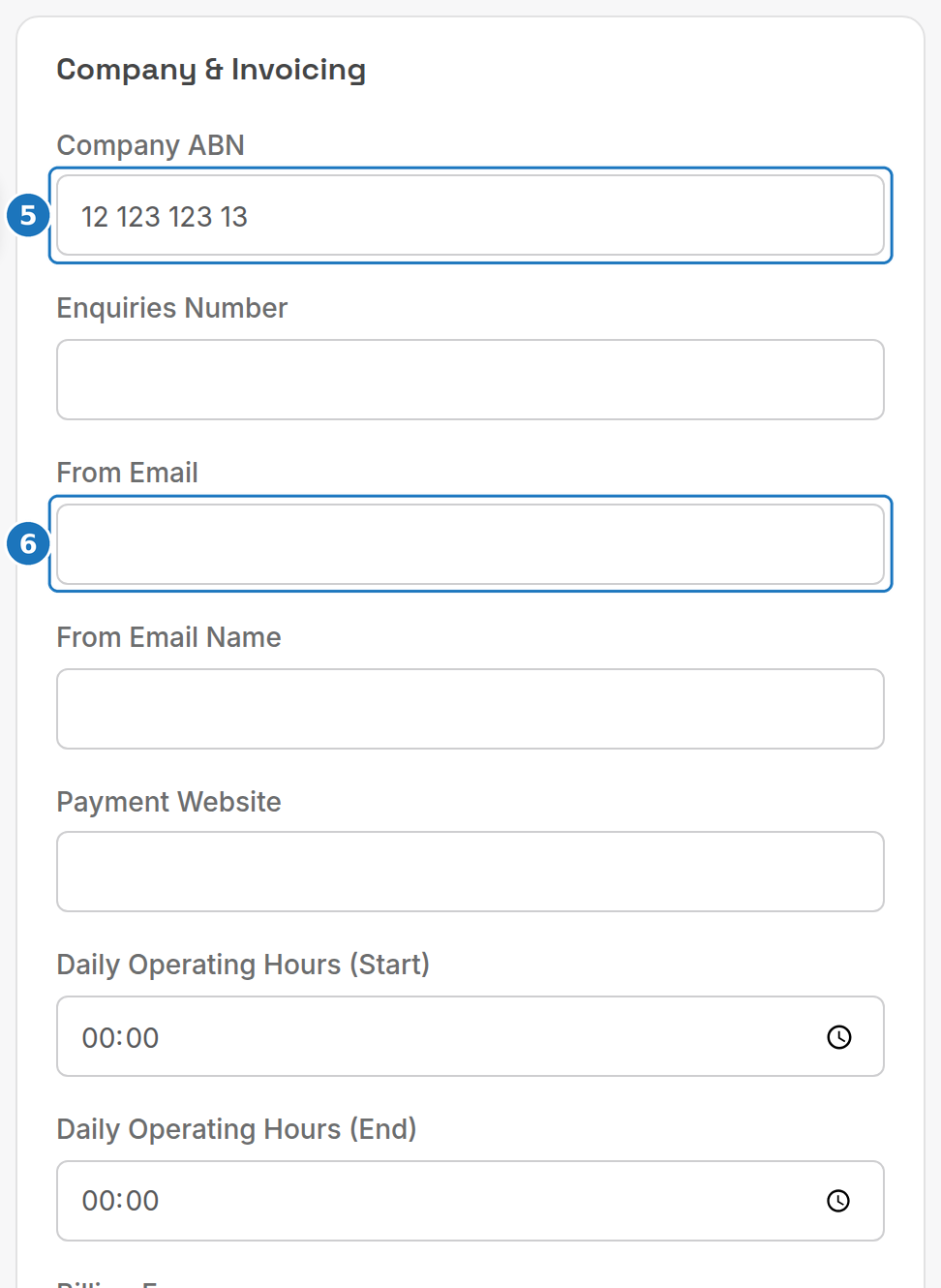
- Under Company & Invoicing, enter the Company ABN.
- Enter the From Email and From Email Name invoices are sent from, plus an Enquiries Number and Payment Website if you have them.
- Click Save.
¶ Company & Invoicing fees
| Setting | What it does |
|---|---|
| Billing Fee | Flat fee added to each invoice (customers can override it on their record). |
| Late Fee Amount / Grace Period / Min Amount | Late fee charged when an invoice is still unpaid this many days after its due date, and the smallest balance it applies to. |
| Service ETF / Failed Payment / Postal Invoice Product | The product used to bill early-termination fees, failed payment fees and posted invoices. |
¶ Billing behaviour
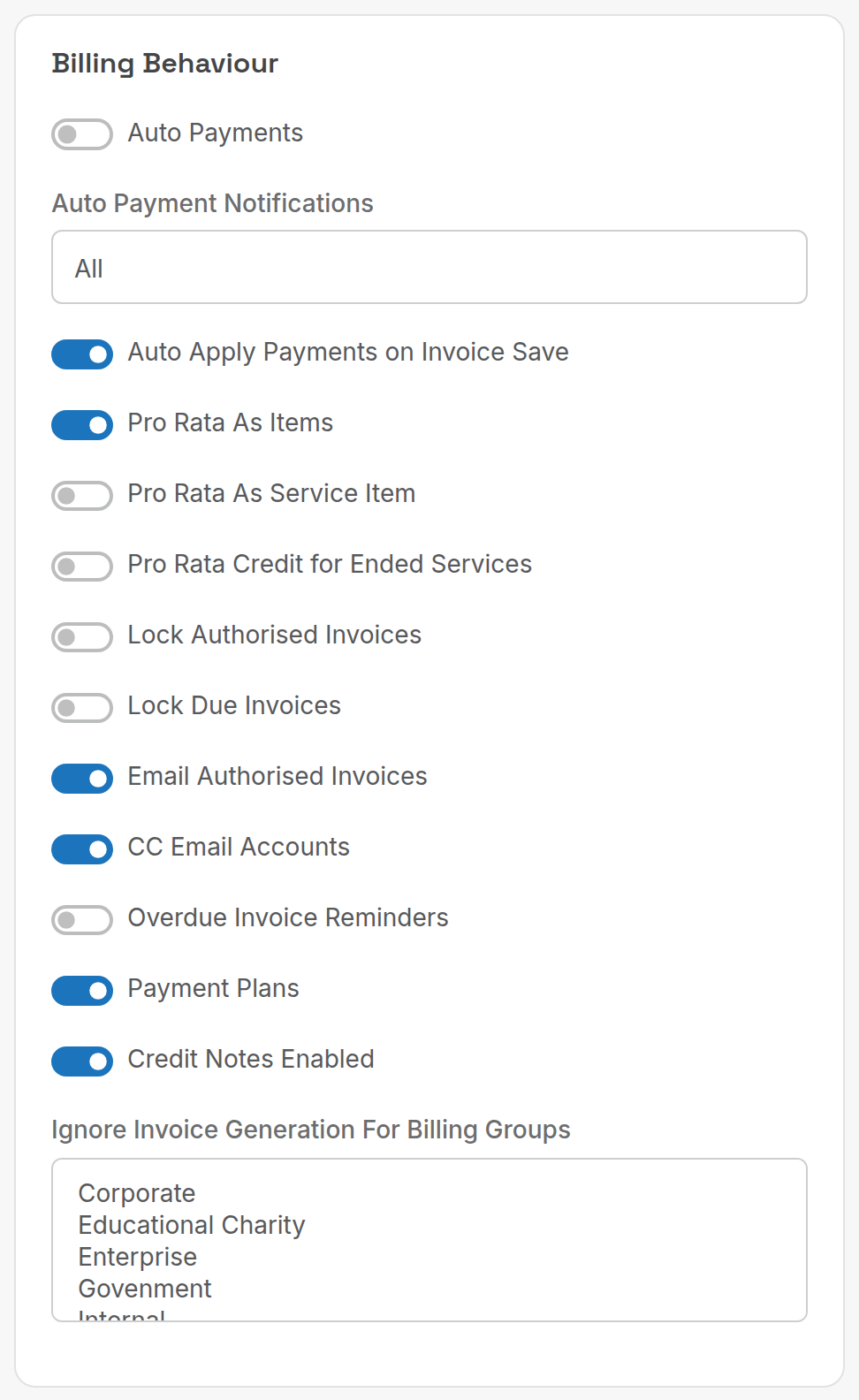
| Toggle | What it does |
|---|---|
| Auto Payments | Charge stored payment methods on the due date: see Take a payment. |
| Auto Apply Payments on Invoice Save | Allocate unallocated payments when an invoice is saved. |
| Pro Rata As Items / As Service Item | How partial-month charges are shown on the invoice. |
| Pro Rata Credit for Ended Services | Credit unused days when a service ends: see End a service. |
| Lock Authorised Invoices / Lock Due Invoices | Stop edits to invoices once approved, or once they fall due. |
| Email Authorised Invoices | Email invoices as soon as a bill run is approved. |
| CC Email Accounts | Copy the customer's accounts contacts on invoice emails. |
| Overdue Invoice Reminders, Payment Plans, Credit Notes Enabled | Switch those features on for this department. |
| Ignore Invoice Generation For Billing Groups | Billing groups (e.g. Internal) that bill runs skip. |
¶ Before invoices can send
PracBill sends invoice email through Mandrill on your behalf, so your domain has to authorise it. In your DNS:
- Add two DKIM CNAME records:
mte1._domainkey.yourdomain.com.au→dkim1.mandrillapp.comandmte2._domainkey.yourdomain.com.au→dkim2.mandrillapp.com. - Add a DMARC TXT record at
_dmarc.yourdomain.comwith the valuev=DMARC1; p=none. - Email support@pracbill.com.au. They'll trigger a verification email: forward it back to them and they finish the domain setup.
¶ Reconciled date
Under Accounting, the Reconciled Date closes the books up to that day: nobody can edit invoices or payments dated before it, or create new ones dated before it. Only the department administrator can change it.
Next: create a customer.