A bill run is one execution of your billing: PracBill builds an invoice for every eligible customer, holds them for review, then emails them when you approve. You don't start a bill run by hand. You create a bill run schedule and PracBill runs it at the time you set.
¶ Create a bill run schedule
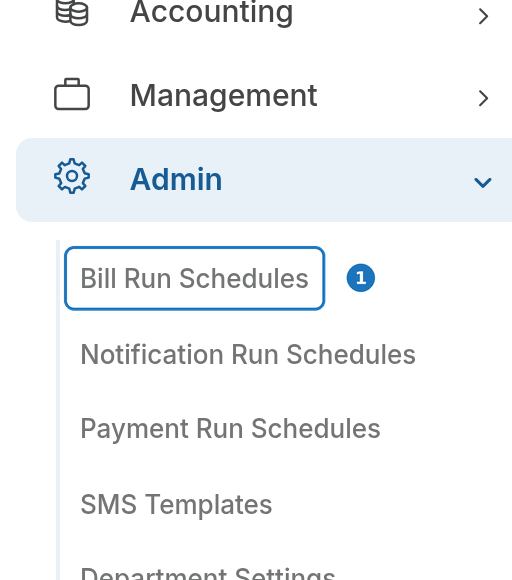
- In the sidebar open Admin, then click Bill Run Schedules.
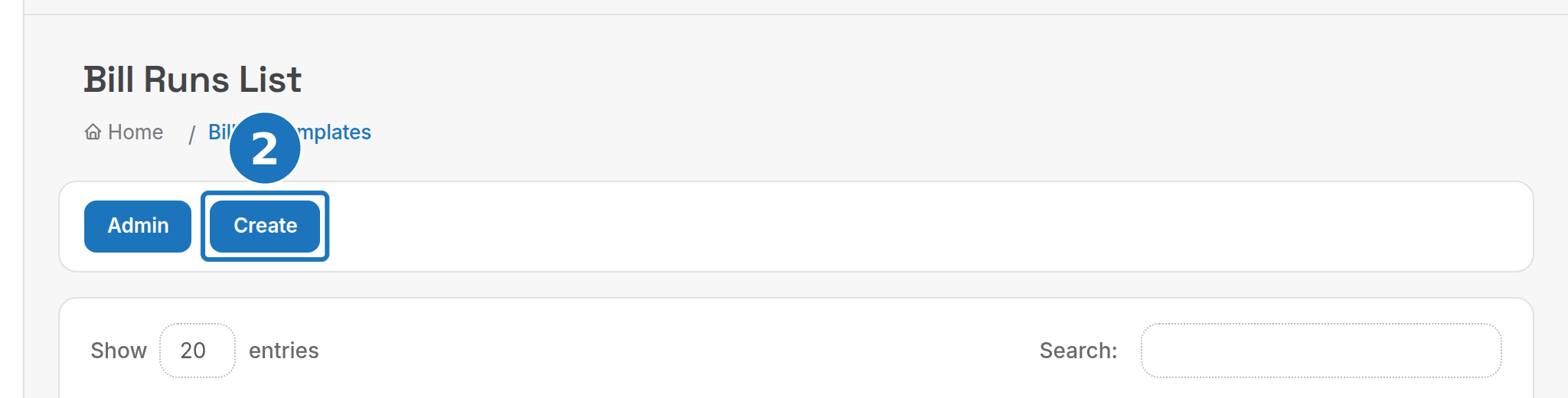
- Click Create.
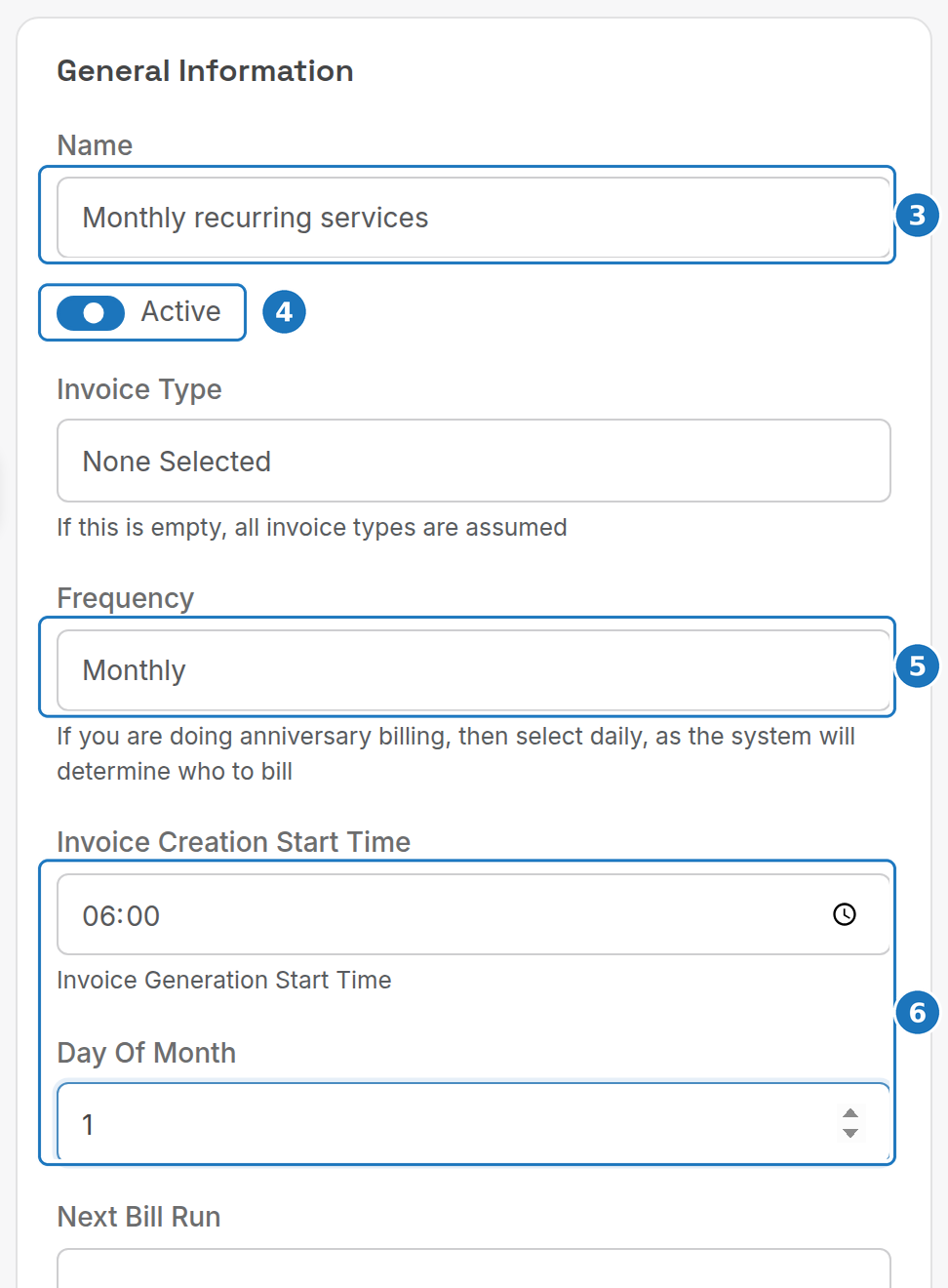
- Enter a Name, for example Monthly recurring services.
- Turn on Active. Inactive schedules never run.
- Choose the Frequency: Monthly for a normal calendar bill run.
- Set the Invoice Creation Start Time (early morning keeps the load off business hours) and the Day Of Month invoices are built on.
- Leave Auto Approve off and click Save.
Keep Auto Approve off until you have reviewed a few bill runs. With it on, invoices are emailed to customers the moment they're built.
¶ Schedule settings
| Setting | What it does |
|---|---|
| Next Bill Run | When the schedule fires next. |
| Invoice Type | Only build invoices of one type (your department's list under Admin → Lookup Tables). Empty means all types. |
| Frequency | Monthly, Fortnightly, Daily or Yearly. For anniversary billing choose Daily, and PracBill works out who is due each day. |
| Email Invoice To | Send every invoice from this schedule to one address instead of the customers. Handy for testing. |
| Anniversary Billing | Bill each customer from their own service start dates rather than a fixed calendar date. |
| Update Invoice Date on Approval? | Stamp invoices with the approval date, so due dates count from the day they were actually sent. |
| Auto Approve | Approve and email invoices without review. |
| Auto Approve Draft Invoices After | A relative time such as +3 days or +1 week from the run start. When it passes, any invoices still in draft are approved automatically. Empty disables this. |
| Email Approved Report To | After approval, email a CSV of every approved invoice to this address. |
¶ Before the run
The week before, confirm every move, add and change is in PracBill, and check that call records are arriving (run the Billed Minutes report). The day before, add any one-off charges (setup and disconnection fees are the usual ones), clear Telco → Exception Calls, and approve any pending credit notes.
¶ Review and approve
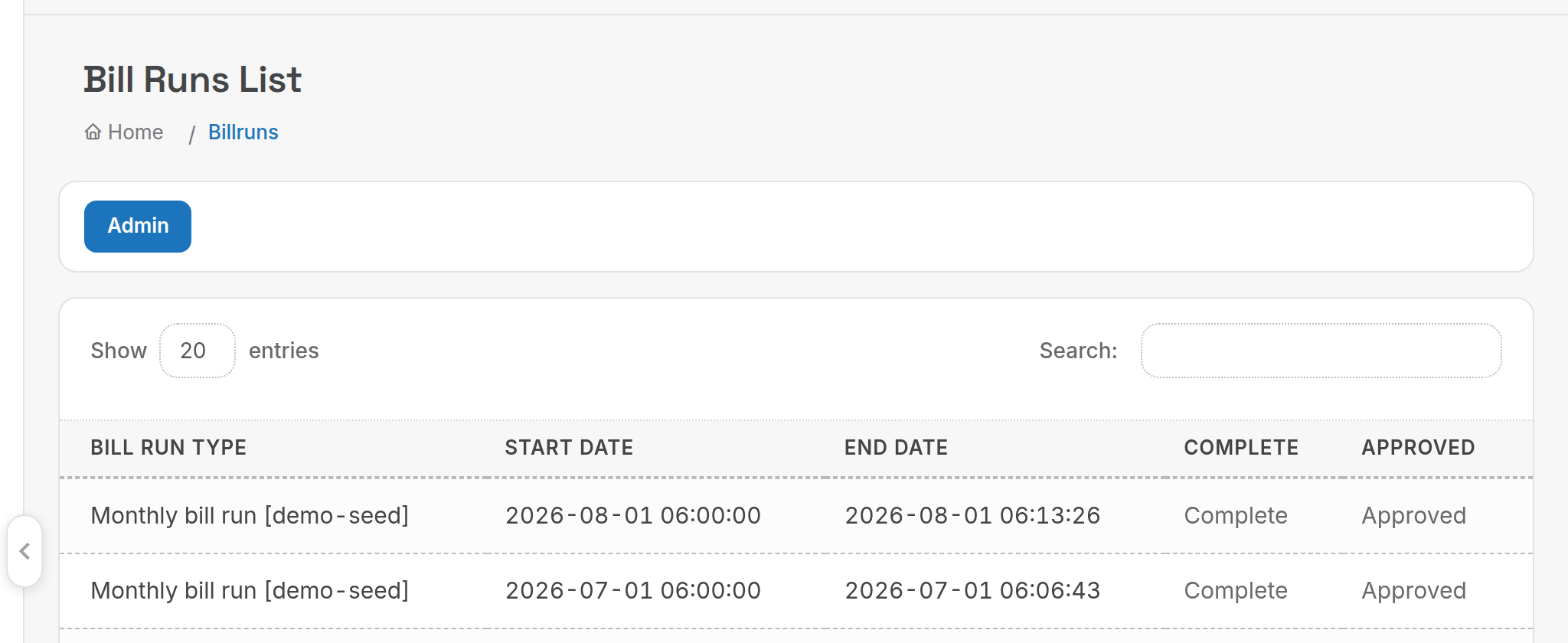
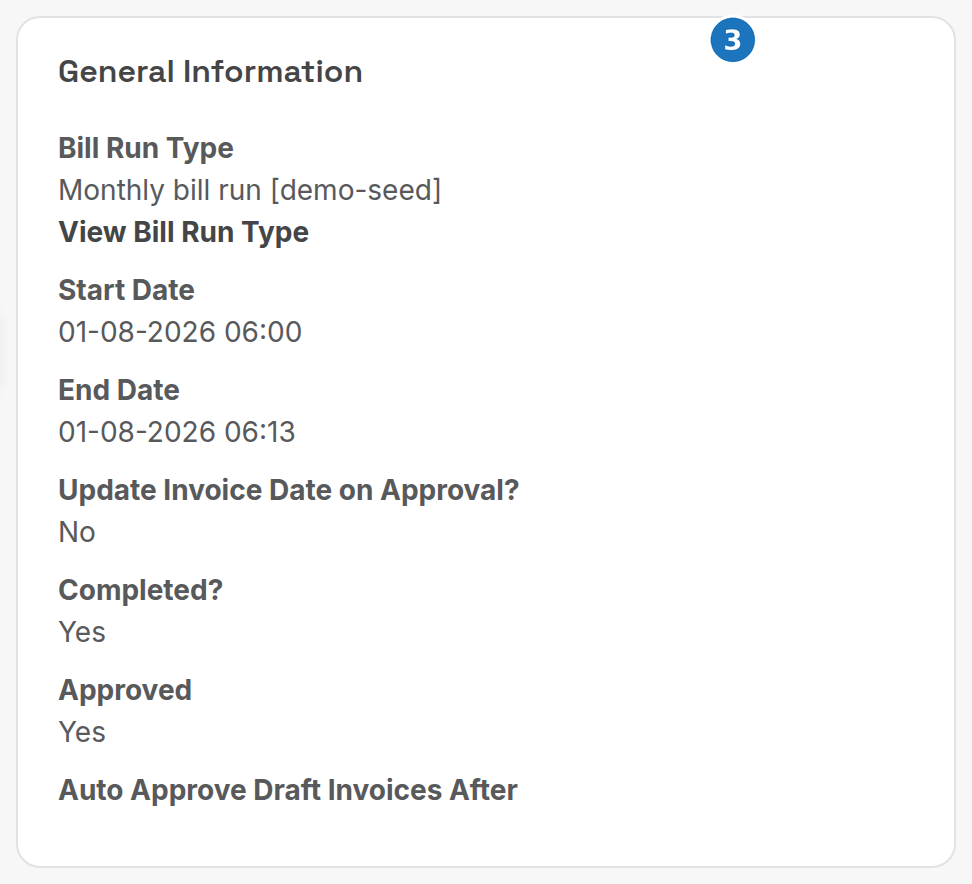
When the schedule fires, PracBill creates a bill run record under Management → Bill Runs and starts building invoices.
| Complete | Approved | Meaning |
|---|---|---|
| Pending | Pending | Invoices are still being built. Wait. |
| Complete | Pending | Every invoice is built. Review, then approve. |
| Complete | Approved | Invoices have been emailed to customers. |
- Open the bill run and read its log for the customer count, invoice count and any warnings.
- Sanity-check the totals with the Customer Billing Usage Analysis/Compare and Billing Period Analysis reports, and spot-check a few PDFs under Sales → Invoices.
- Click Approve Bill Run. PracBill marks the invoices authorised, updates their dates if the schedule says so, emails them, and sends the approved-invoice CSV if you set a report address.
Approval emails invoices immediately and can't be undone. Review first.
Once approved, Download Billrun CSV on the bill run gives you every invoice number, date, total and delivery status for reconciliation.
Next: take a payment against one of the new invoices.